

What you’ll see
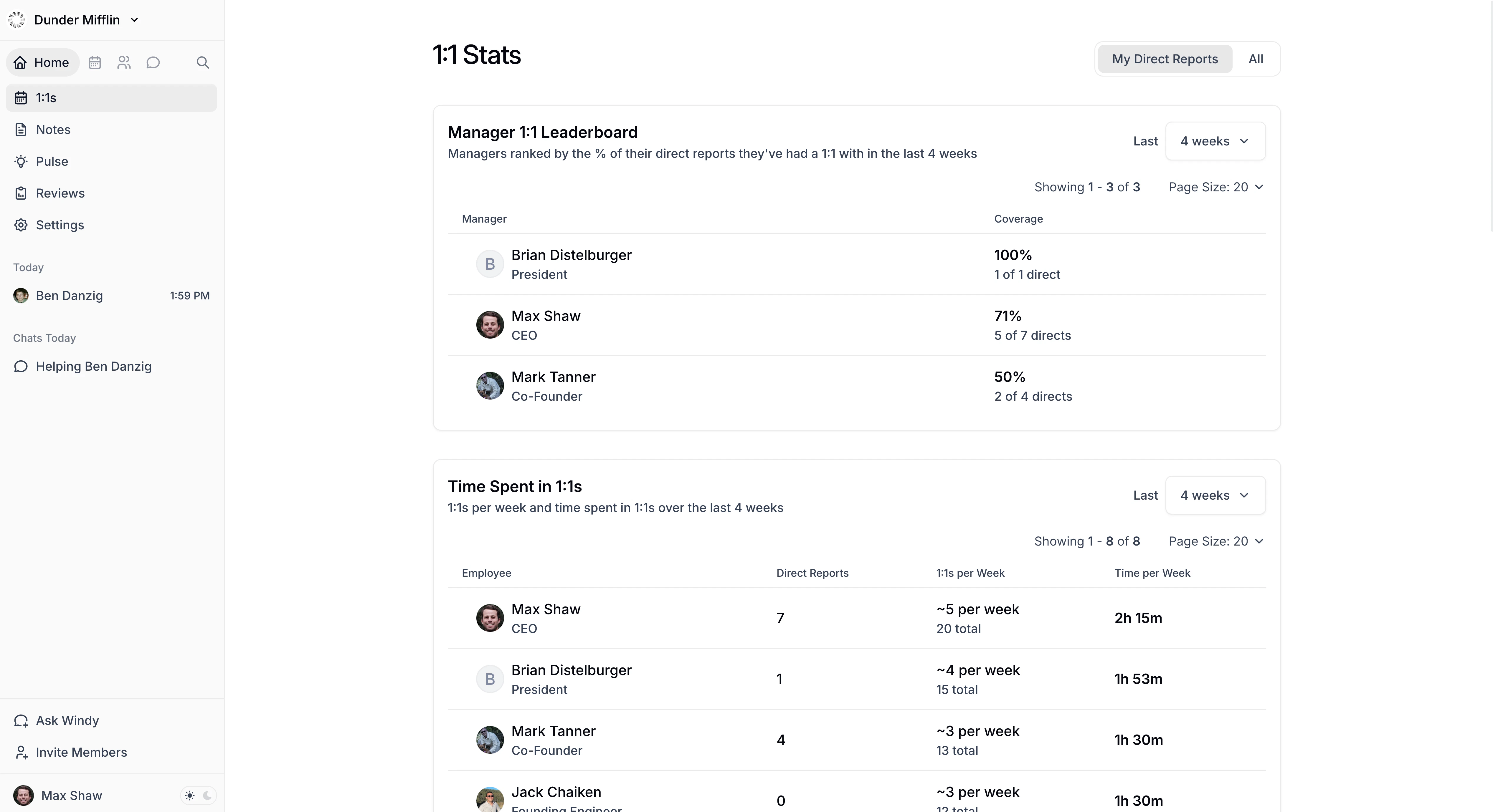
- Manager 1:1 Leaderboard — See which managers consistently meet with their team and which don’t. Ranks managers by the percentage of direct reports they’ve met with in the selected time period.
- Time spent in 1:1s — Shows each employee’s meeting frequency and total time in 1:1s. Filter the table to all 1:1s or meetings with direct reports, managers, or peers.
- Employees Without Recent 1:1s — Spot manager-employee relationships that may need attention. Lists employees who haven’t had a 1:1 with their manager within the selected threshold. This uses the same 1:1 list that appears on the 1:1s page, including calendar-detected 1:1s and manually added 1:1s.
- 1:1 pairs — Shows each pair’s total meeting count and the percentage with notes in Windmill. Filter to all 1:1s, manager and direct-report pairs, peers, or indirect relationships.
Controls
Use the shared Analytics filters and date range to change the report scope. The date range applies to Manager 1:1 Leaderboard, Time spent in 1:1s, and 1:1 pairs. Employees Without Recent 1:1s uses a separate recency threshold instead of the report’s date range. Choose from one to six weeks; the default is four weeks. The report scopes users to people who have a manager or at least one direct report. Within that scope, the Time Spent and 1:1 Pairs panels can also include peer and indirect relationships.Who can view this report
1:1 Meetings follows the same visibility rules as the rest of Analytics:- Workspace Admins and Data Analysts can see the report for the entire organization.
- Managers can see themselves and anyone in their reporting line, directly or indirectly. Use the Employee filter to narrow the scope.
- Other members can see their own data, plus any additional employees they have been delegated access to.