

Feedback types
- Proactive feedback: You give feedback about a colleague without waiting for a request.
- Requested feedback: A member asks you to give feedback about themselves or about a person in their reporting line. Windy delivers the request and collects your response.
How feedback works
Giving feedback
Select a colleague, describe their work, and choose who can see the feedback. Your company controls which audiences are available. See Give feedback.Requesting and responding
Request feedback about yourself, or about a person in your reporting line. Windmill schedules each request during the provider’s working hours. Providers respond or decline from their to-dos. See Request and respond to feedback.Reading and managing feedback
The Feedback page shows feedback that you have permission to see. You can edit or delete your own feedback within your company’s edit window. See Find, edit, and delete feedback.Visibility
Each piece of feedback has an audience, such as Recipient only or Manager hierarchy. Admins and HR Admins choose the allowed audiences and the default. See Visibility and settings.The Feedback page
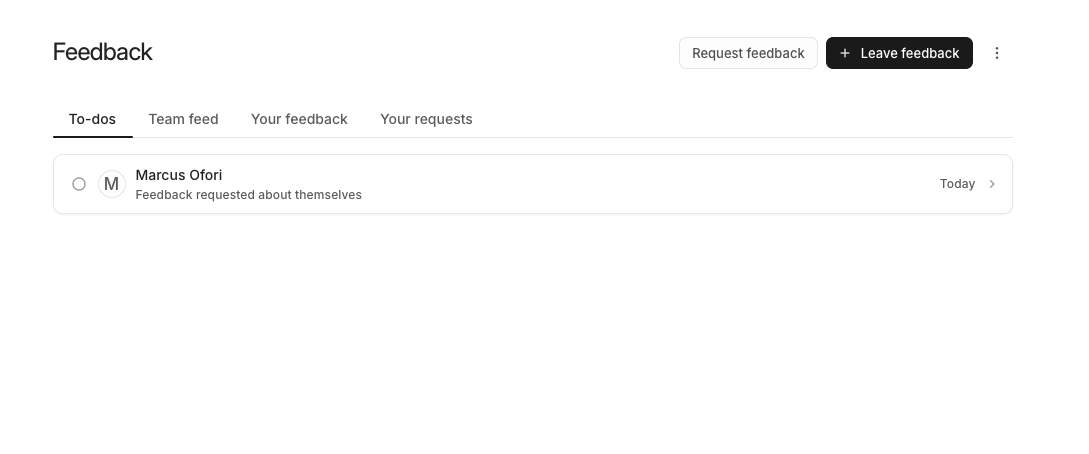
Open Feedback from the Dashboard navigation.
Use Leave feedback and Request feedback at the top of the page to start.
Where feedback appears
Feedback can appear on employee profiles, in Catch Me Up, and in review writing support. These features only use feedback that the viewer has permission to see.Shoutouts
Shoutouts recognize a colleague’s work in a public Slack channel. Windy can offer to convert positive feedback to a Shoutout after the author agrees. A Shoutout makes its linked feedback Public. See Shoutouts.Before you start
- Admins and HR Admins: Check the Feedback settings before your team starts. The default audience applies to every new request.
- Rolling out: Use Introduce Feedback to your team to set expectations.