Explain the Feedback types
Use these terms in your team communication:- Proactive feedback: A member gives feedback about a colleague through Windy or the enabled Feedback page.
- Requested feedback: A member requests feedback about themselves. A manager can also request feedback about a person in their reporting line. Requests are scheduled when the Feedback page is enabled. A completed response is not guaranteed.
Set expectations
Tell your team the following information:- Members can give feedback with Windy in Slack or in the Windmill Dashboard. When Feedback is enabled, they can also use Leave feedback on that page.
- Company settings control the allowed audiences. Members can select an allowed audience when they give feedback through the enabled Feedback experience.
- Members can find requests that need a response under Feedback > To-dos or on Home. They can respond or decline.
- A completed response is not guaranteed.
- Windy needs confirmation before creating a public Shoutout. A Shoutout makes linked feedback public, regardless of the earlier audience selection.
Explain Shoutouts
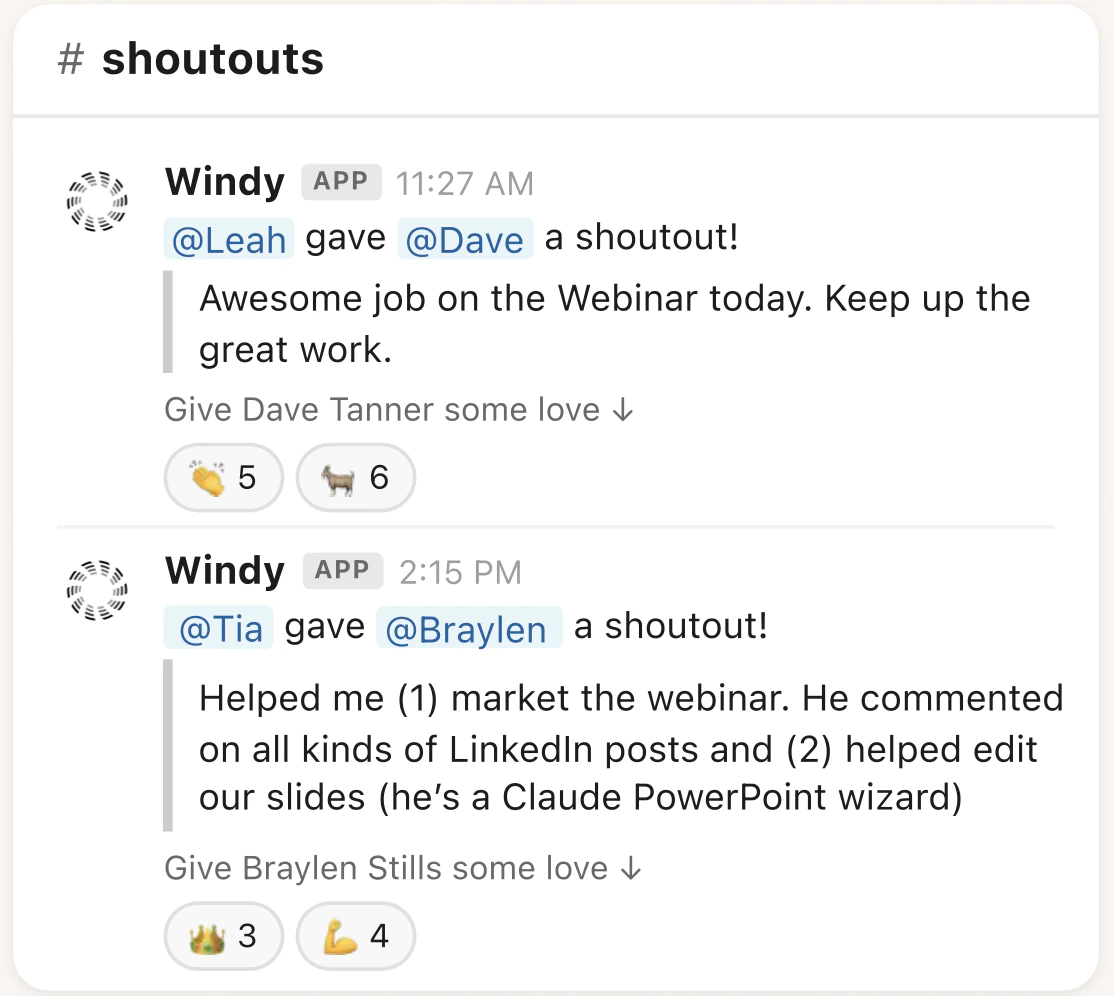
Shoutouts let team members recognize positive work in a public Slack channel. A member can create a Shoutout with a Slack shortcut or the/shoutout command. Windy can also offer to convert positive feedback to a Shoutout. Windy shares the feedback only after the author gives explicit consent.