

Types of templates
- Company templates — Created by Admins or HR Admins and available to everyone in the organization. Useful for establishing a consistent 1:1 format across teams.
- Personal templates — Created by any employee for their own 1:1s. The template itself is only visible to the creator and to participants in 1:1s where it’s been applied.
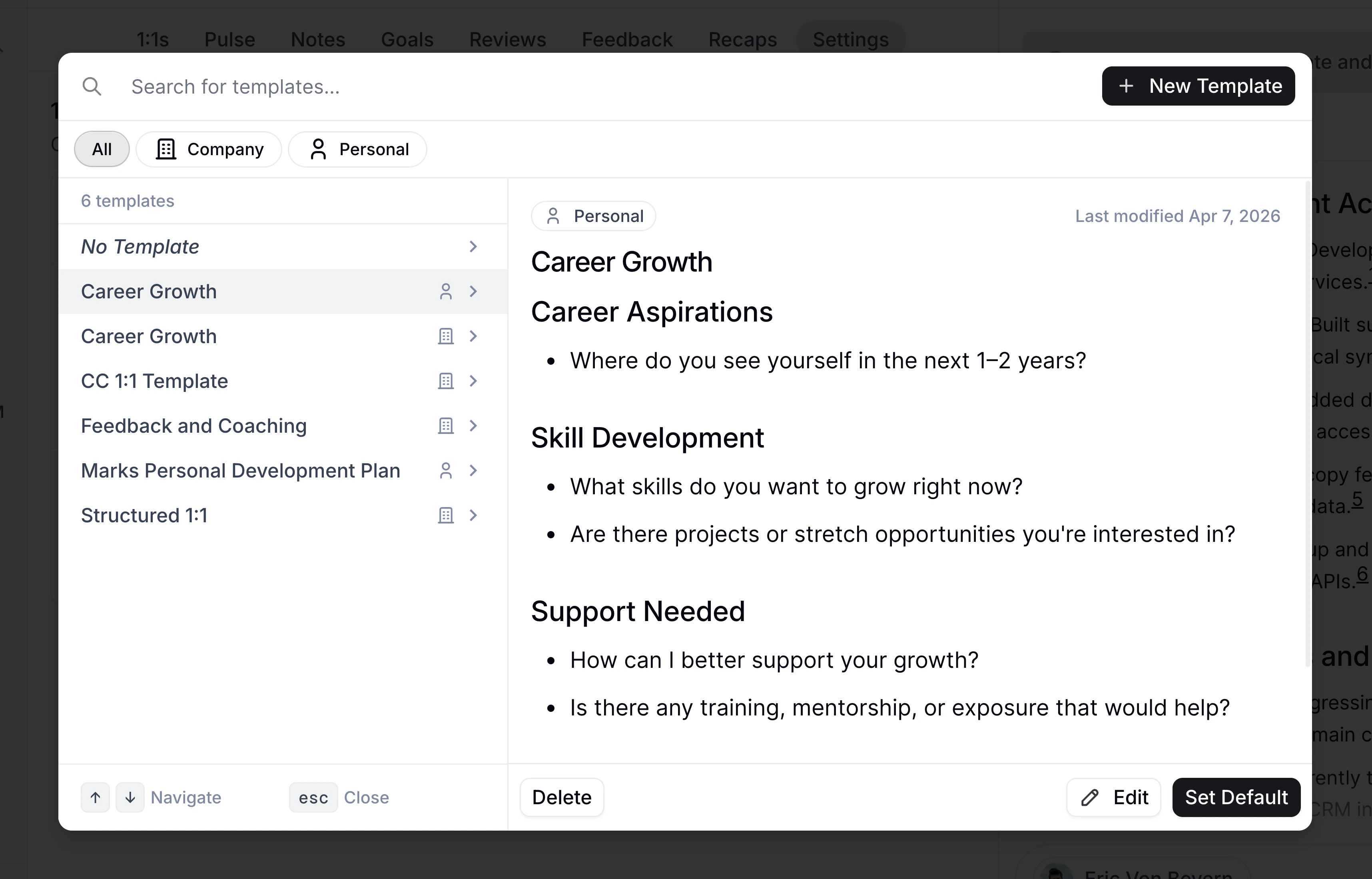
Once a template is applied to a 1:1, the sections and questions it populates become part of the shared agenda — meaning both the manager and the employee can see and edit them.
Company templates
Company templates are created and managed by Admins and HR Admins. They’re a way to establish a standard 1:1 format across the organization — for example, ensuring every manager-report 1:1 covers key topics like priorities, blockers, and growth. Admins and HR Admins manage company templates from the 1:1 Templates admin page. From there, they can:- Create a new company template
- Edit a company template’s name and content
- View Pairs — see all 1:1 pairs currently using the template
- Delete or Duplicate an existing template
When an Admin or HR Admin edits a company template that’s assigned to one or more pairs, the updated content is automatically applied to all future, unedited 1:1 agendas for those pairs.
Reviewing 1:1 pairs
Admins and HR Admins with 1:1 template configuration access can review pairs from the 1:1 pairs page, or by clicking View Pairs from a company template. Use the filters to find the pairs you need:- Employee — Filter by one person in the pair.
- Other employee — Filter by the other person in the pair.
- Relationship — Filter by Direct report, Skip level, or Other. Direct report and skip-level filters include both directions of the reporting relationship, while Other covers peer 1:1s.
- Template — Filter to pairs using a specific default template.
Personal templates
Any employee can create and manage their own personal templates from the Templates panel on the 1:1s page. From the Templates panel, you can:- Create a new template with a name, description, and markdown content
- Edit templates you created
- Duplicate any template (including company templates and starter templates) into your own personal copy
- Delete templates you no longer need
Applying a template to a single 1:1
Use this when you want to apply a template to just one meeting — for example, a mid-year check-in that needs a different structure than your usual format.1
Open the 1:1 list
Go to the 1:1s page and open the pair you’re meeting with.
2
Open the three-dot menu on the 1:1
Hover over the 1:1 you want to update and click the three-dot menu (⋮) in the section header.
3
Select Apply Template
Click Apply Template and choose a template from the picker.
Setting a default template for all future 1:1s
Use this when you want every future 1:1 with a specific person to start with the same structure. The default is set at the pair level, so it applies to every upcoming 1:1 with that individual.1
Go to the employee's profile
Navigate to the profile of the person you have 1:1s with.
2
Open their settings
Click Settings on their profile.
3
Choose a default template
In the Default Template row, click Select Template and pick a template from the picker. Click Set Default to confirm.
The default template only seeds 1:1 agendas that haven’t been edited yet. Once you or the other participant has added content to a specific 1:1, that meeting’s agenda won’t be overwritten.