

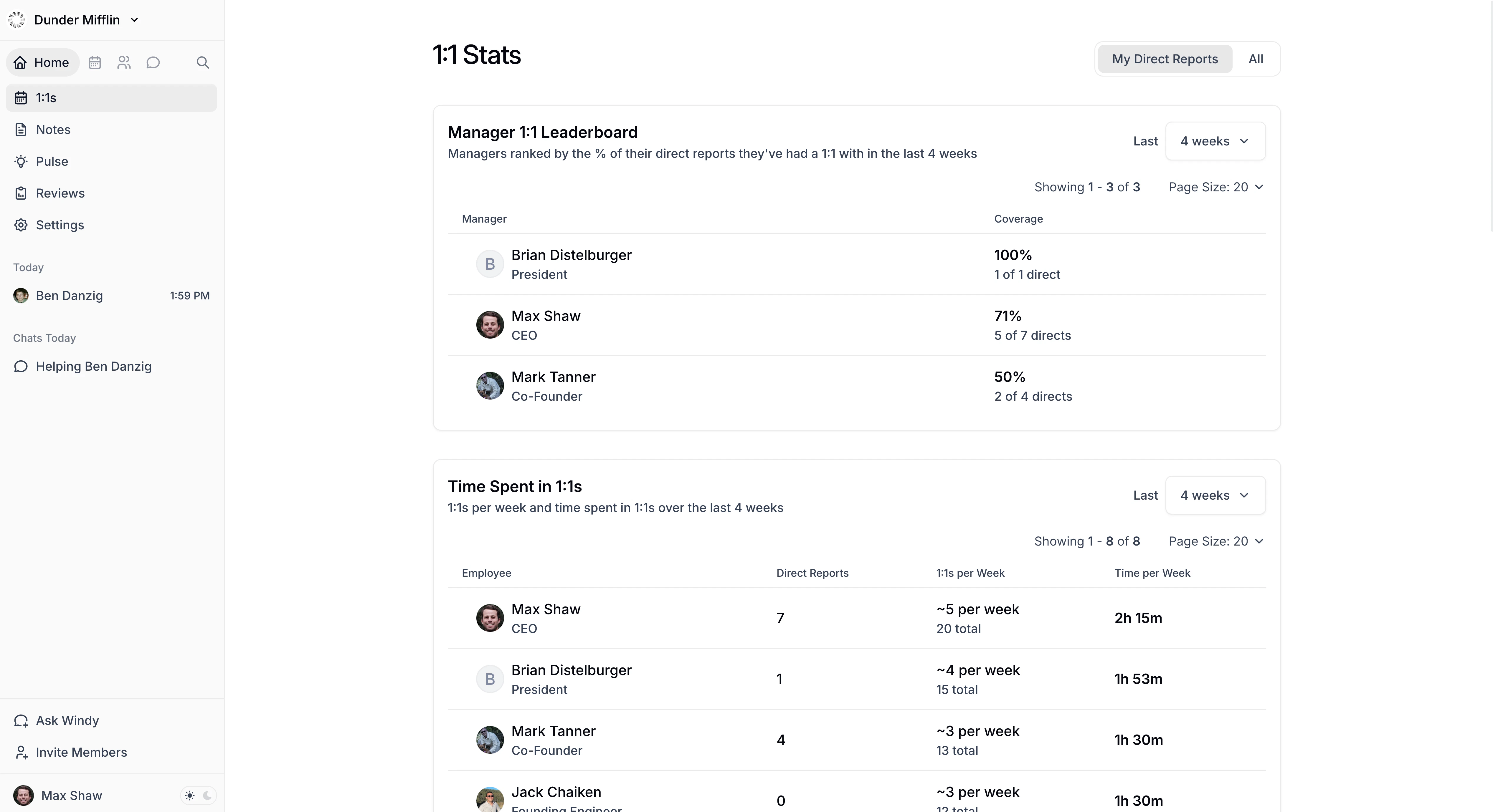
What you’ll see
- Manager 1:1 Leaderboard — See which managers consistently meet with their team and which don’t. Ranks managers by the percentage of direct reports they’ve met with in the selected time period.
- Time Spent in 1:1s — Understand how much time managers are investing in their people. Shows each employee’s meeting frequency and total time in 1:1s.
- Employees Without Recent 1:1s — Spot manager-employee relationships that may need attention. Lists employees who haven’t had a 1:1 with their manager within the selected threshold. This uses the same 1:1 list that appears on the 1:1s page, including calendar-detected 1:1s and manually added 1:1s.
- 1:1 Pairs — See whether teams are capturing value from 1:1s through documentation. Shows all 1:1 pairs with total meeting count and percentage with agenda content in Windmill.
Who can view stats
- Everyone can see their own stats.
- Admins and HR Admins can see stats for everyone in the company.
- Managers can see stats for themselves and their team, including direct and indirect reports. Toggle between “My Direct Reports” and “All” to adjust scope.
- Delegated Access users can view stats for employees they have delegated access to.