> ## Documentation Index
> Fetch the complete documentation index at: https://help.gowindmill.com/llms.txt
> Use this file to discover all available pages before exploring further.
# Changelog
> Product updates, improvements, and bug fixes across Windmill performance reviews, 1:1s, pulse surveys, integrations, and the platform.
export const LoomEmbed = ({id, title}) => {
const Iframe = "iframe";
const Button = "button";
const [preload, setPreload] = useState(false);
const [playing, setPlaying] = useState(false);
const btn = useRef(null);
const timer = useRef(null);
const warm = () => setPreload(true);
const play = () => {
const root = btn.current && btn.current.closest("[data-loom]");
if (root) root.setAttribute("data-playing", "");
setPreload(true);
setPlaying(true);
};
const onEnter = () => {
if (preload) return;
timer.current = setTimeout(warm, 120);
};
const onLeave = () => {
if (timer.current) clearTimeout(timer.current);
};
return <>
{preload && }
{!playing && }
;
};
## Jul 7, 2026
### Clearer relationships on your 1:1 cards
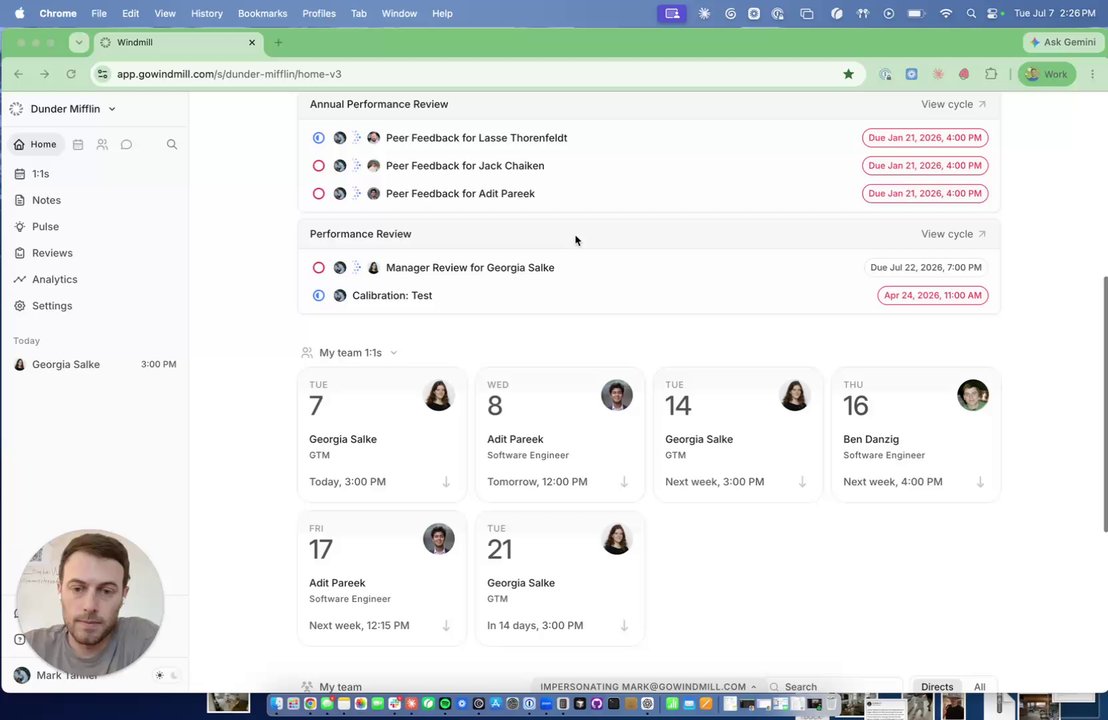
Your [1:1](https://help.gowindmill.com/features/1-on-1s) cards now show who you're meeting with at a glance — name, title, and their relationship to you (direct report, manager, peer, or cross-functional). Hover over any relationship badge for more detail.
You can also filter your 1:1 view by **All**, **My Directs**, or **Across My Team** to quickly find the meetings you're looking for — and your filter preference is saved for next time. The same relationship info now shows up in the 1:1s tab as well.
### Sharing for 1:1 templates
You can now share [1:1 templates](https://help.gowindmill.com/features/1-on-1s/templates) with specific groups instead of just company-wide or personal. Admins can grant view or edit access to groups like Managers, HRBP, or any custom group, and can share individual templates with specific people too.
Templates are easy to manage from **Settings → One-on-Ones → Templates** — duplicate, rename, delete, or see every pair currently using a given template, all from one place.
Individual contributors get a scoped-down version of this: they can share templates they've created with specific people, and view (but not edit) the sharing settings on templates shared with them.
### Prompts is now Skills — and you can share them
We've renamed Prompts to [Skills](https://help.gowindmill.com/features/skills), matching the naming pattern you know from Claude. Find them all in **Settings → Skills**, where you can create, edit, and rename them just like before.
The big addition: sharing. You can now share a skill with specific people, your direct reports, managers, or (if you're an admin) the whole company — so useful prompts don't have to stay siloed to one person.
You can access your skills from anywhere with `/` in Windmill, and Windy and Windmill in Slack can reference them too.
* 1:1s (Opt-in) HR admins can enable [auditability](https://help.gowindmill.com/features/1-on-1s#audit-access-for-managerdirect-11s) so admins can view and export read-only 1:1 note history
* 1:1s Get a warning about a conflicting 1:1 while you're scheduling, instead of an error only at submit
* Performance Reviews Flip the [calibration](https://help.gowindmill.com/features/calibrations/views#grid-view) grid axes, and see the full question text instead of generic labels like "Question 8"
* Performance Reviews Managers now see a "Hidden from employee" badge on review questions that aren't [shared with the employee](https://help.gowindmill.com/features/performance-reviews/visibility)
* Performance Reviews Performance review CSV exports now include a calibrated rating column alongside the manager's rating
* Performance Reviews You can no longer change [sharing](https://help.gowindmill.com/features/performance-reviews/releasing-reviews) on a review written about yourself (unless you're the only admin), preventing conflicts of interest
* Platform Filter employees by email on any screen — paste a comma-separated list or a CSV column, now handling thousands of addresses at once
* Platform Faster bulk selection across the platform — select all on the [org chart](https://help.gowindmill.com/org-chart/managing-your-org-chart) with the option to deselect individuals, plus improved employee and group pickers
* Integrations The [UKG Pro integration](https://help.gowindmill.com/integrations/ukg-pro) is now live
* 1:1s Fixed a canceled 1:1 hiding the notes for your next upcoming 1:1
* 1:1s Fixed `***bold italic***` markdown not rendering in notes and agendas
* Performance Reviews Restored the My Team tab on completed cycles, so managers can once again access self, peer, and upward reviews
* Performance Reviews Fixed the performance review date range selector
* Performance Reviews Fixed validation that blocked managers who were set up to review only their direct reports
* Performance Reviews Corrected a misleading warning that implied manager review edits would be lost — drafts auto-save
* Platform Employee search now prioritizes exact name matches
* Platform Windy now gives accurate answers about peer review visibility and feedback requests
* Pulse Test responses are now excluded from the Pulse responses CSV export
## Jun 23, 2026
### New Roles: Integration Manager & Data Analyst
We've expanded Windmill's permission system with two new roles, giving you more flexibility in how you assign access across your team.
**Integration Manager** can manage account integrations, member roles, billing, and security settings — without access to the broader admin controls. Useful for anyone responsible for connecting tools and systems across the company.
**Data Analyst** can view stats and analytics across the entire organization, even without a direct management relationship to those employees. Previously this level of visibility required admin access.
Both roles are configurable per member in **Settings → Members**. Existing roles (Admin, HR Admin, and Team Member) remain unchanged.
### Configurable Timezone Settings
You can now set your own timezone directly from your profile — no longer locked to whatever was detected when you created your account.
Click your name in the bottom left and select **Timezone**. You have three options: sync from your Slack profile, use your browser's timezone, or set one manually. The manual option is handy if you're traveling and want your 1:1 times to reflect a different location.
Access it anytime from your name → **Timezone**.
* 1:1s Added new 1:1 reminder timing options, including a 10-minute lead time and a last-minute reminder before the meeting
* Performance Reviews Added a word count to review editors
* Performance Reviews Made existing draft performance reviews easier to find
* Performance Reviews When a review cycle is blocked by inactive participants, the error now names exactly which people need to be removed
* Performance Reviews Removed the automatic 1-day reminder for performance review chats to cut down on notification noise
* Performance Reviews The person being reviewed is now shown in the peer and upward feedback flows, so it's clear who you're writing about
* Platform Employee filters now support selecting multiple managers at once
* Platform Improved the error message shown when a login or invite email doesn't match the invited address
* Performance Reviews Fixed data export failing for large review cycles
* Platform Fixed being unable to add a member to a group
* Platform Fixed the bulk actions bar being hidden on narrow screens
* Pulse Fixed pulse test sends failing
* Pulse Fixed the anonymous survey response count not matching the number of submitted responses
* Integrations Fixed the integration user mapping list showing only the first 20 users with no way to reach the rest
* Integrations Fixed stale or duplicate 1:1 meetings from Outlook not being removed after they were moved or deleted in the calendar
* Analytics Fixed being unable to scroll past selected stats in Analytics
## Jun 9, 2026
### Catch Me Up — now for every 1:1
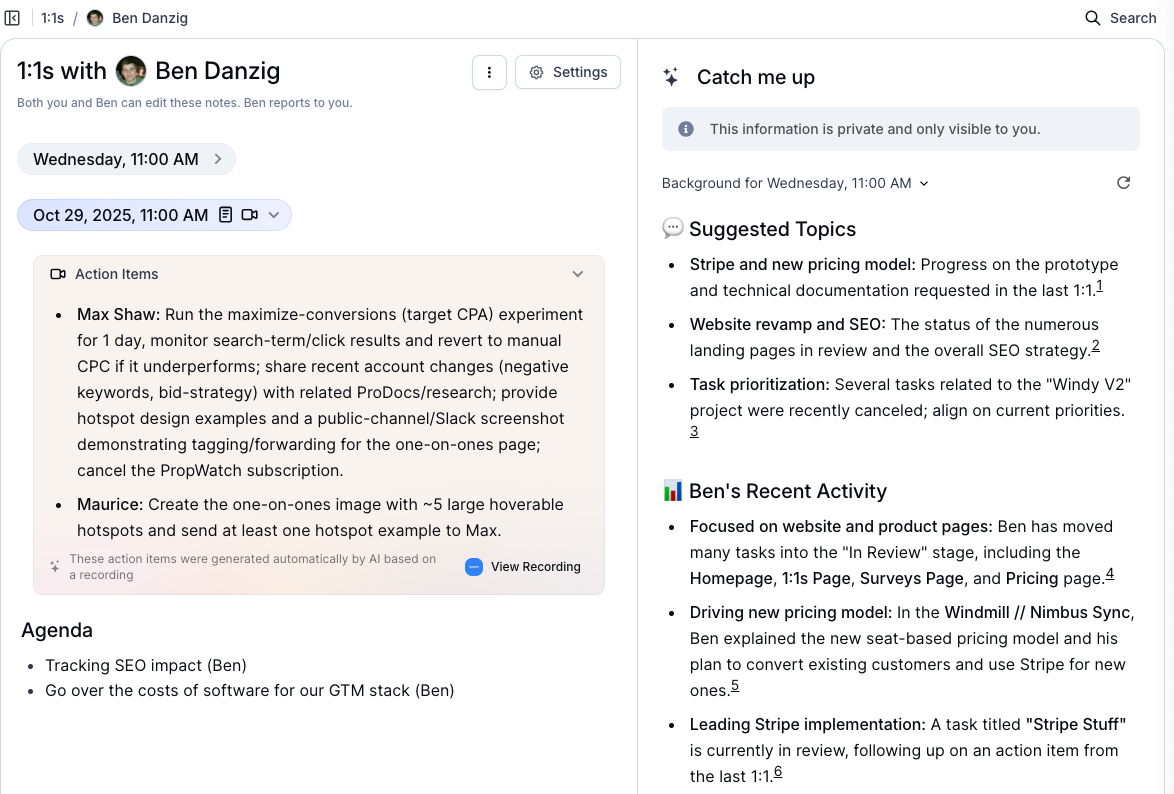
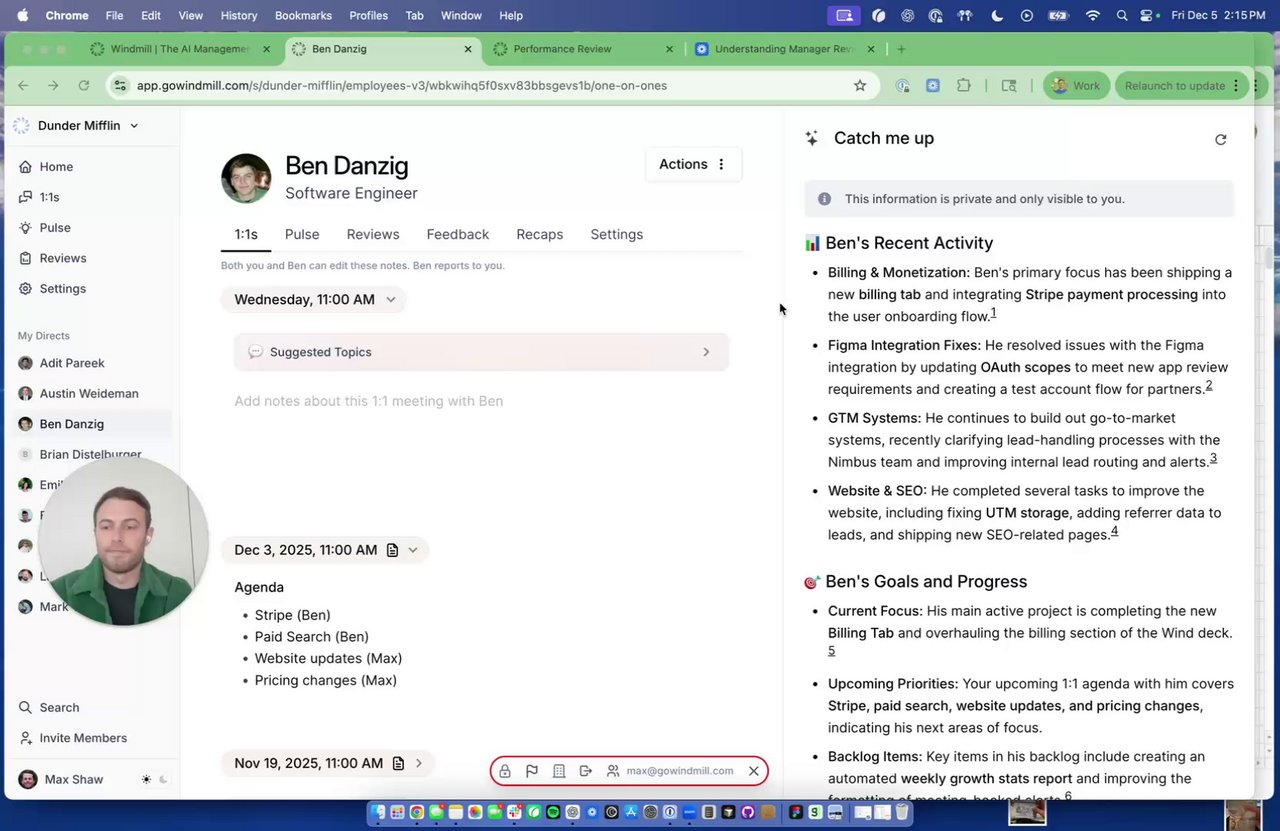
The [Catch Me Up](https://help.gowindmill.com/features/1-on-1s/catch-me-up) panel, previously available only to managers, is now available in all of your 1:1s — including peer meetings and your 1:1 with your own manager.
For peer 1:1s, you'll see shared context: recent work, accomplishments, and coordination opportunities tied to items both you and your peer have visibility into. For your manager 1:1, you'll see a view of your own recent work — wins, progress, blockers, and risks — giving you a clear picture of what your manager sees heading into the meeting.
* Performance Reviews Peer and upward review opening messages now use full names (and Slack mentions where relevant) instead of first names only, reducing ambiguity in larger orgs
* Performance Reviews Improved the review packet sharing UI so it stays compact even with many reviews
* Analytics Analytics is now available to everyone — the old Stats page has been retired
* Analytics Added CSV export directly from the Product Usage and AI Adoption tables
* Analytics Added a new "Proactive Feedback Given" stat, available on the Product Usage report and in custom Analytics reports
* 1:1s 1:1 Recordings now show up inline in a tabbed interface in 1:1s, making it easier to review and reference them
* 1:1s Suggested Topics now have a more minimal design making them easier to scan at a glance
* Platform Improved CSV employee selection so it performs reliably at large scale
* Integrations Windmill no longer auto-joins Slack Connect (external shared) channels by default
* 1:1s Fixed 1:1 meetings not being detected when an attendee appears on the invite under two email addresses
* 1:1s Fixed 1:1 template issues, including the default template disappearing after it was deleted and reapplying a template not showing its content again
* 1:1s Fixed link styling continuing to apply to text typed after an external link in 1:1 notes
* Performance Reviews Fixed peer nominations showing as incomplete with overdue badges even after the reviews were completed
* Analytics Fixed inaccurate relative date ranges in Analytics (for example, "Last 7 days" and "Last 6 months")
* Analytics Fixed the leaderboard not respecting applied filters
* Platform Fixed ONA reports failing on older browsers by falling back to a non-WebGL graph
* Platform Fixed the new signup screen appearing broken in dark mode
* Platform Fixed SSO sign-in getting stuck when an unlinked member had the same email address
* Platform Fixed the chat screen zooming in unexpectedly when focused on mobile
## May 26, 2026
### Introducing Analytics
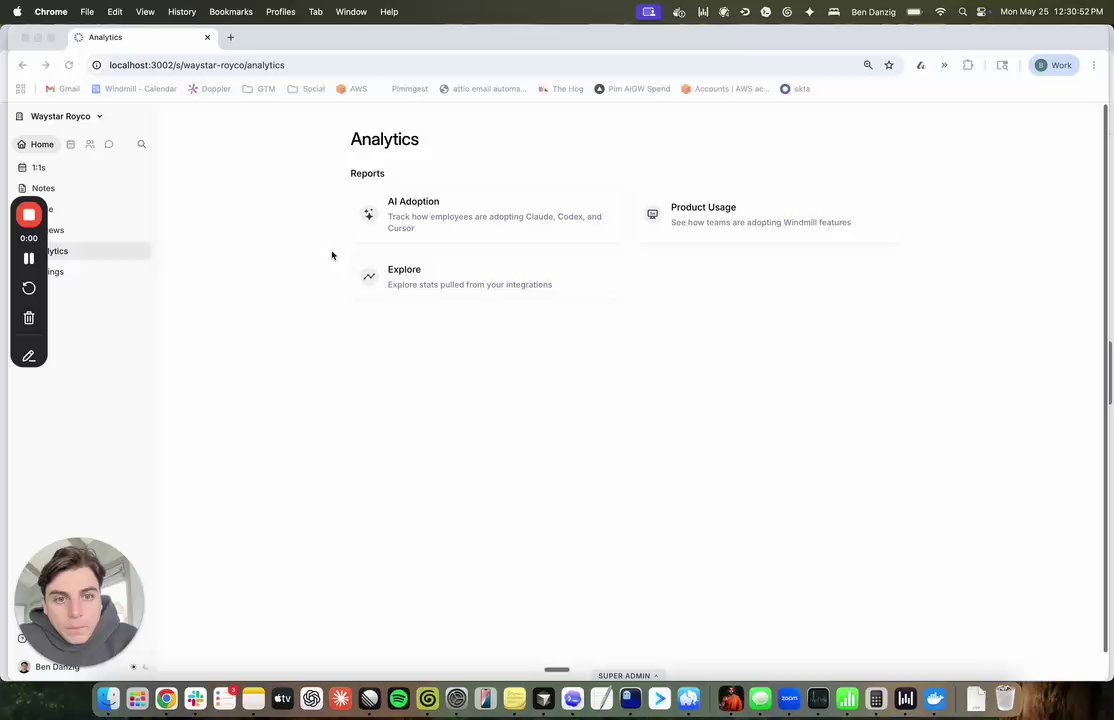
Get a clearer picture of how your team works with Windmill's new [Analytics](/features/analytics/index) feature. Analytics surfaces data from your connected integrations in a queryable, visual format — so you can spot trends, track adoption, and make more informed decisions about your organization.
Analytics launches with three reports:
* **[Explorer](/features/analytics/explore)** — Build your own view by selecting any stats from your connected integrations. Filter by team or individual, visualize trends as line, bar, or stacked bar charts, and drill into each user's performance over time.
* **[Product Usage](/features/analytics/product-usage)** — See how your company is using Windmill. Track weekly active users, feature adoption by person, and export to CSV for deeper analysis.
* **[AI Adoption](/features/analytics/ai-adoption)** — If you have Cursor, Claude, or Codex connected, see how your team is adopting AI tools — overall, by feature, and by user.
Analytics is rolling out over the next few weeks. Want early access? [Reach out](mailto:support@gowindmill.com) and we'll get you set up.
### Draft History for Manager Reviews
Never lose your work in a manager review. Draft History automatically saves your progress as you write, so you can browse previous versions, preview past drafts, and restore any earlier iteration at any time.
Whether you're exploring different directions with Windy or making manual edits, your work is always preserved — so you can write freely without worrying about losing anything along the way.
* 1:1s HR admins can now create company-wide 1:1 templates
* Integrations The mappings page now supports filtering by multiple integrations at once (e.g. GitHub connected and Slack not connected)
* Integrations Google Workspace email aliases now resolve to a single identity, preventing duplicate employee records when different integrations sync different aliases of the same person
* 1:1s Fixed 1:1 chats breaking when the 1:1 record was archived
* 1:1s Fixed a notification that asked an employee to fill out a 1:1 with themselves
* Performance Reviews Fixed being unable to remove manager review observations
## May 18, 2026
* 1:1s Improved 1:1 topic suggestions to make suggestions more relevant
* Performance Reviews Made the calibration chart's axis labels more noticeable so they're easier to spot at a glance
* Platform Refreshed the Members page with clearer update controls and consistent tooltips
* 1:1s Fixed applying a template to a specific 1:1
* 1:1s Fixed the 1:1 agenda text editor deleting the whole line when adding a hyperlink
* Platform Windy now clearly responds when a file format isn't supported instead of failing silently
## May 11, 2026
* Performance Reviews Increased the height of the rating and text response areas in reviews
* Performance Reviews Clarified the dialog copy when submitting a calibration with no changes
* Performance Reviews Added self, peer, and upward review responses to the CSV export
* Integrations Added more control over which groups to sync from integrations
* 1:1s Fixed the template dialog layout on mobile
* Performance Reviews Limited the performance review export selection to cycle participants
* Performance Reviews Prevented non-members from being selected as cycle admins
* Performance Reviews Manager review summaries now show rating labels instead of numeric values
* Platform Fixed the chat history page showing raw entity IDs instead of titles
* Platform Removed the "pin profile" option from your personal profile
* Integrations Fixed Slack deep links opening the channel instead of the specific message
## May 4, 2026
* Performance Reviews Added clearer copy explaining what happens when a calibration is submitted
* Pulse Improved pulse filtering
* Performance Reviews Fixed the calibration screen layout on mobile
* Performance Reviews Fixed self-review chat context to match the employee's review period
* Platform Restricted company prompt creation to users with the appropriate role
## Apr 27, 2026
* 1:1s Sped up 1:1 page load times
* Platform HR admins can now manage company knowledge
* Platform Sped up employee profile page loading
* Integrations Updated the Google Calendar link copy to "Take notes in Windmill"
* 1:1s Fixed the "Cannot pair with yourself" error in 1:1 pairing
* Platform Fixed the slash command portal staying open after typing whitespace
* Platform Fixed MCP auth not redirecting to the consent screen when logged out
* Platform Fixed the top navigation being hidden on mobile detail pages
* Pulse Removed the "No Expiration" option for send-now pulses
* Pulse Clarified expiration behavior for 30/60/90-day pulse settings
* Integrations Restored HR admin access to integration mappings
## Apr 20, 2026
### One-on-One Templates
Keep every one-on-one on track with shared templates. Admins can now create and manage agenda templates in Settings → One-on-Ones, making them available to everyone in the org. Set a default template for any pair, or swap in a different one on a one-off basis directly from the meeting. Want to roll out a template to a full team at once? Use the new Pairs tab to set defaults in bulk — filter by team, manager, or any grouping you want.
### Automated Onboarding Pulses
Never miss a 30, 60, or 90-day check-in again. You can now schedule Pulses to send automatically based on each employee's hire date — so the right survey goes out at exactly the right time, no manual tracking required. Set it up once and Windmill handles the rest, triggering at 9am in the employee's local time. Stack as many milestones as you want — onboarding check-ins, year-one anniversaries, whatever cadence works for your team.
* Performance Reviews Manager review questions now render with proper markdown formatting instead of showing raw markdown text
* Performance Reviews Added draft history to manager reviews so reviewers can see and restore previous versions of their work
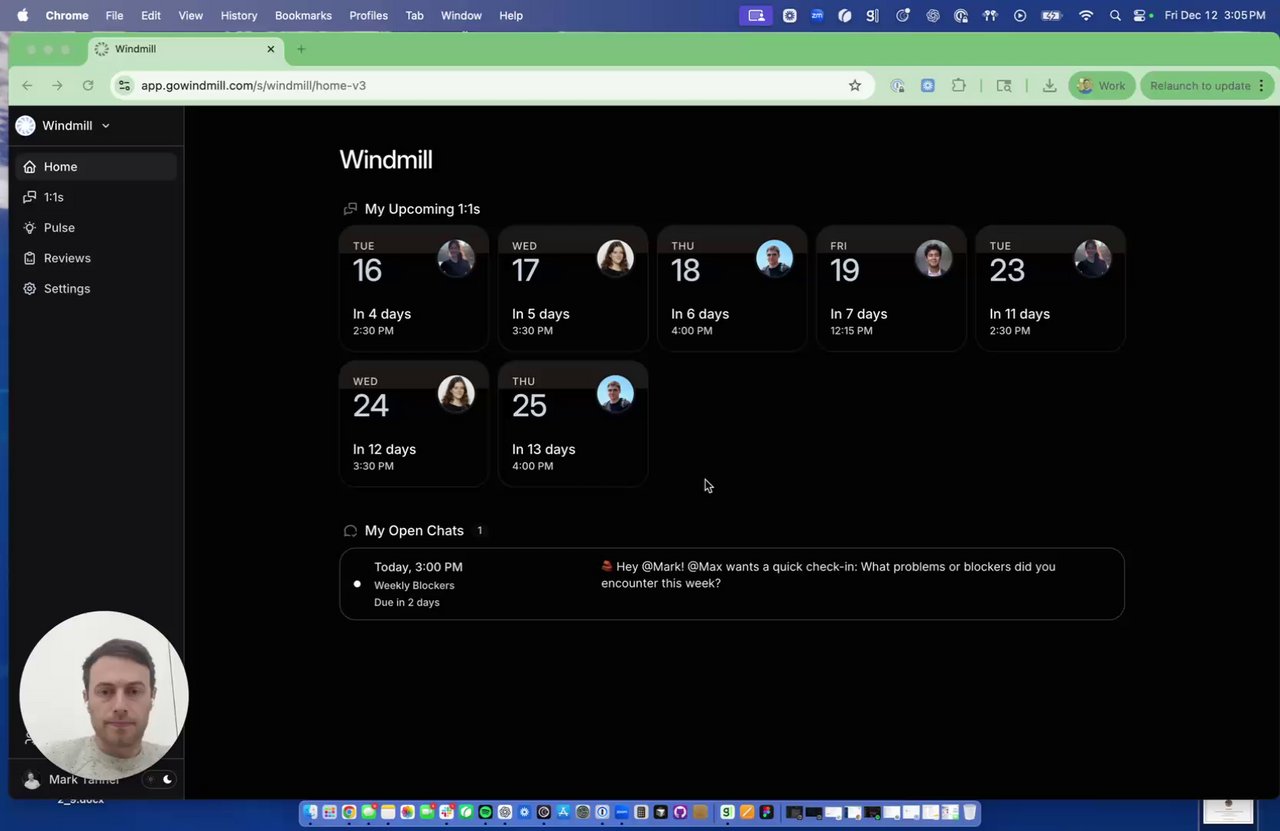
* Platform Added a "Chats Today" section to the Home tab, showing today's chats alongside your 1:1s
* Platform Simplified integrations settings by removing the extra drilldown — admins now see a clean list with settings buttons only when available
* Platform Improved the MCP tooling for better performance and reliability
* Performance Reviews Fixed an issue where pasting code into the markdown text editor in Performance Reviews could crash the app
* Performance Reviews Fixed calibration pre-reads to include reviewees who were added within 24 hours of the session
* Performance Reviews Fixed performance review cycle owners not refreshing in the UI without a page reload after being added
* Performance Reviews Fixed manager review notifications being sent in Slack after reviews were already complete
* Platform Fixed an error when generating recording details for meetings that weren't found
* Platform Fixed a permission issue that was incorrectly showing settings to individual contributors
* Platform Fixed invite email hover on the members page only showing once
* Integrations Fixed an Outlook calendar sync failure when syncing the calendar list
* Integrations Fixed a parsing failure in Workday job profile sync responses
* Integrations Fixed a Google Workspace calendar sync failure
## Apr 14, 2026
### AI Tool Analytics — Claude, Codex & Cursor
Windmill now connects to the AI tools your team already uses — so AI adoption becomes visible and measurable.
**What gets tracked:**
* [**Claude**](/integrations/claude) — conversations, Claude Code sessions, commits, edit acceptance rates, and Office Agent usage
* [**Cursor**](/integrations/cursor) — agent edits, tab completions, messages by model, and MCP tool usage
* [**Codex**](/integrations/codex) — threads, turns, credits, and token consumption by client surface
Windy surfaces these stats in reviews, 1:1s, and recaps — no self-reporting required.
* Platform New [MCP server](./features/mcp) to connect Windmill to your favorite AI tools.
* Platform Added "After Event" scheduling option for Windy to follow up with team members after calendar events
* Performance Reviews Added draft history in manager reviews, allowing managers to see previous versions of their review drafts
* Performance Reviews Improved completed cycle UI to better display historical review cycle information
* Performance Reviews Added plain text copy button to cycle overview for easy sharing of review summaries
* 1:1s Improved styling on the 1:1s page for a cleaner, more polished look
* Integrations Enhanced the integrations page UX with improved navigation and clearer setup flows
* Platform Improved table formatting in the chat interface for better readability
* Performance Reviews Fixed release date filters to be inclusive, ensuring all relevant reviews are properly included
* Performance Reviews Prevented manager review suggestions from appearing for backfilled review cycles
* Performance Reviews Fixed review completion timestamps to use the actual submission time for accurate tracking
* Platform Released Bugbot fix for improved automated code review
* Platform Fixed calendar sync issue that was preventing some users' calendars from syncing properly
* Platform Fixed issue where double-clicking the 'Invite Members' button would send multiple invitations
## Apr 6, 2026
### Introducing Company Knowledge
Admins can now add a knowledge library to Windy — leveling frameworks, job descriptions, rubrics, mission statements, anything foundational to how your company operates. Once it's in there, anyone can ask Windy a question and get an answer pulled directly from your own documentation. No more hunting through Notion or Google Drive.
### Updates to Pulse Notifications
Pulse creators and co-owners can now get notified in whatever way works best for them. Choose from Slack DMs for every individual response, a Slack channel post with the summary and recap link when a pulse completes, or a new email digest that lands in your inbox with high-level bullet points and one-click access to the full summary in Windmill. Find it in the settings of any pulse.
### Calibration Results Page
When a calibration session wraps up, you can now see exactly what changed — and why. The results page shows a before/after rating distribution for each question, a full movement table for every employee, and one-click access to their manager review, self-review, and peer review. All the context you need, without leaving the page.
* 1:1s Added today's 1:1s to the main tab for quick access to upcoming meetings
* Performance Reviews Included shared and released reviews in the self-review report for more complete review context
* Performance Reviews Added an onboarding video for users going through the manager review flow for the first time
* Pulse Added unthreaded mode for Pulse live response streaming so team members can reply to and discuss individual responses in Slack
* Pulse Added email for Pulse results so managers can share results as a pre-read without copy-pasting
* Pulse Added a status filter to the pulse page to easily distinguish active, paused, and completed pulses
* Pulse Added an anonymous/non-anonymous indicator in pulse details view
* Pulse Aligned Launch Pulse page copy and button labels for a clearer, more consistent experience
* Pulse Split pulse responses by session with date headers between each response group for easier navigation
* Integrations Added personal Notion integration support allowing individual users to connect their Notion accounts
* Onboarding Added a recommended onboarding integrations section to the integrations screen
* 1:1s Fixed 1:1s not showing names in Windy shortcuts
* 1:1s Fixed the Slack "Add to 1:1 agenda" shortcut showing an error
* Performance Reviews Fixed the All Todos page being slow to load for organizations with many employees
* Platform Improved performance of the web app
* Platform Fixed duplicate member records being created during member invite
* Platform Fixed personal prompt descriptions getting stuck at "Generating" status
* Platform Fixed the chats history page not showing recent chats
* Platform Fixed autoscroll not working in the in-platform chat
* Platform Fixed shoutout classification incorrectly rejecting positive messages as negative
* Integrations Fixed bugs in Notion sync
## Mar 31, 2026
### Granola Integration
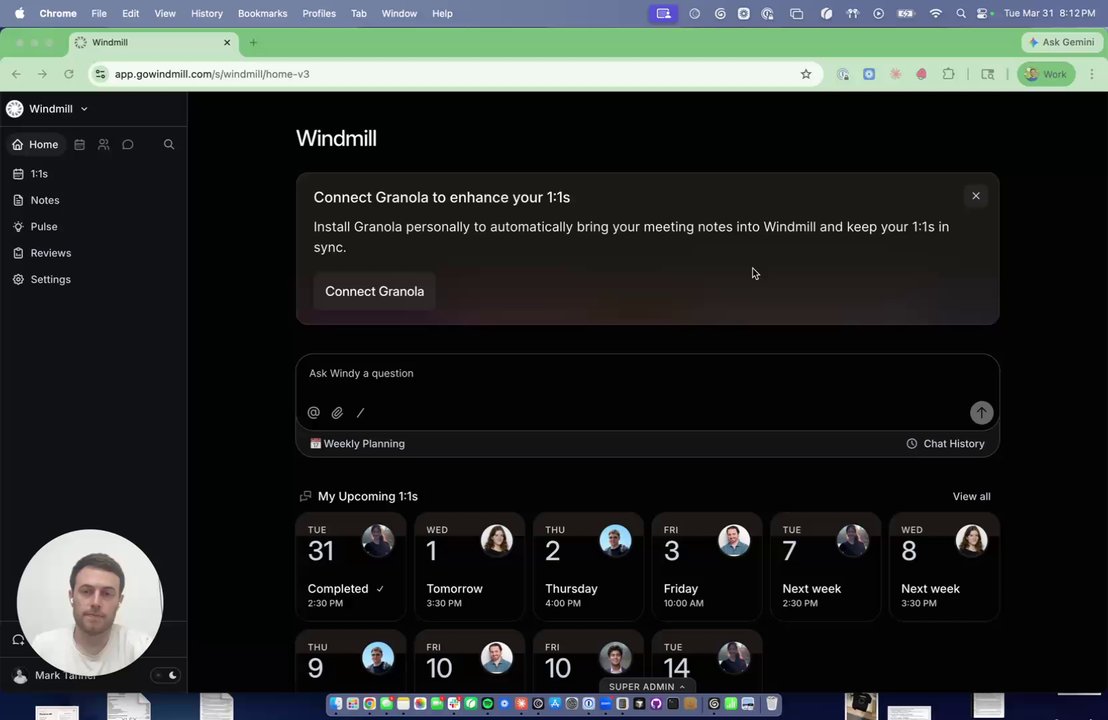
You can now connect Granola to Windmill — one of our most-requested integrations. If you use Granola to record 1:1s and meetings, that context can now flow directly into Windmill to enrich reviews and conversations.
**Personal connection:** Each team member can auth their own Granola account individually. Their meetings will be visible only to them — no one else at the company can access their recordings. Note that a paid Granola plan is required to generate an API key.
**Enterprise connection:** If your company is on Granola's enterprise tier, an admin can connect Granola at the org level, giving Windmill access to all recordings. Individual permissions still apply — people only see meetings they already have access to.
[Connect Granola Now](https://app.gowindmill.com/COMPANY/config/integrations/sources/granola)
### Outlook Calendar Integration
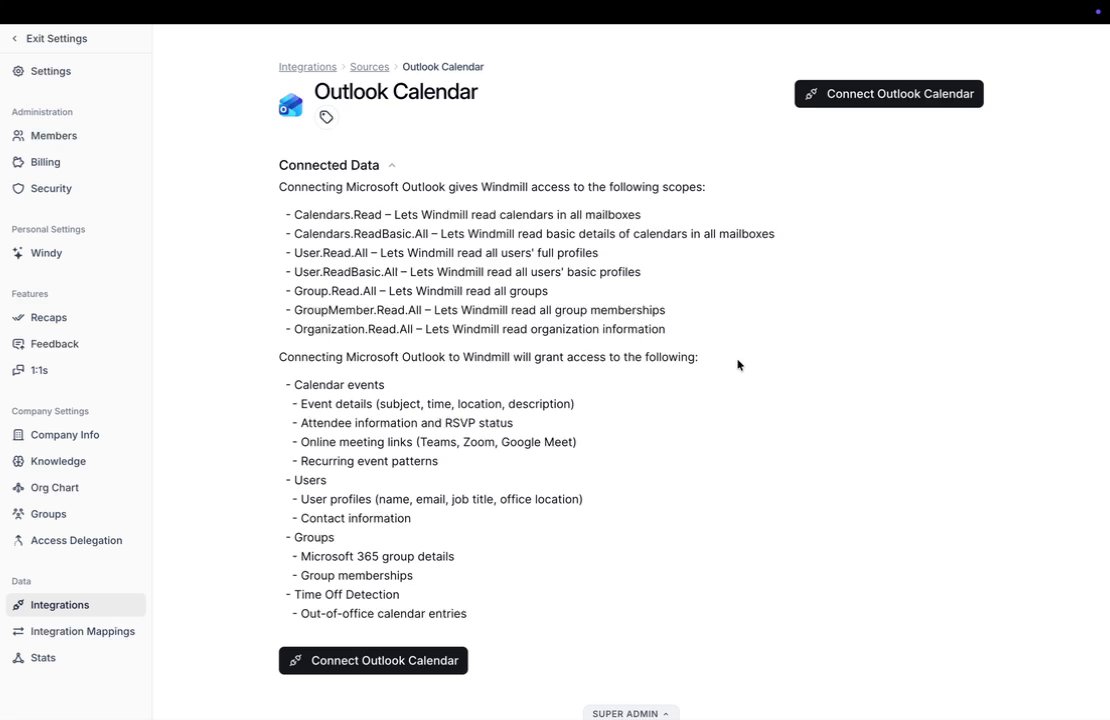
You can now connect your Outlook calendar to Windmill. Once linked, Windmill automatically pulls in your scheduled meetings and maps them to your 1:1s — no manual entry required.
[Connect Outlook Now](https://app.gowindmill.com/COMPANY/config/integrations/sources/outlook-calendar)
* 1:1s Improved the system context provided to Windy during 1:1 conversations for more relevant and helpful responses
* Performance Reviews Added a tooltip showing when someone was last nudged and a copy button when reviewing cycle wizard assignments
* Performance Reviews Added a "Nudge All" button to the All Todos view and removed restrictions that prevented nudging after deadlines
* Platform Refreshed the Company Knowledge frontend and added the ability to select which knowledge should be included in Windy's context
* Platform Windy reactions in Slack are now emoji-only and proactive feedback follow-up frequency has been reduced
* Platform When saving pulse survey responses, all referenced items are now hyperlinked for easy navigation
* Platform Refined the account onboarding flow and polished the pulse survey opening experience
* Platform Adjusted the release modal copy and layout for improved clarity
* Platform Improved shoutout classification accuracy
* Integrations Added support for personal integrations, starting with Notion and Granola
* 1:1s Fixed the Slack "Add to 1:1 Agenda" shortcut error, resolved prep scheduling issues, eliminated duplicate reminders, ensured upcoming 1:1s display without Google Calendar, and hid the deprecated templates admin page
* Performance Reviews Fixed peer nomination performance issues
* Platform Fixed the chat history view to show entity names instead of internal reference IDs
* Platform Fixed Rippling firing callbacks twice and resolved SCIM provisioning issues
* Platform Fixed a text-editing crash
* Platform Fixed bugs in calendar data parsing
* Pulse Fixed the pulse countdown showing raw seconds instead of human-readable time
* Pulse Pulse drafts are now hidden from participants
## Mar 23, 2026
### Windy in the Platform, Prompt Library & Navigation Updates
**Windy is now in the platform.** Everything you could do with Windy in Slack is now available directly in Windmill. Ask any question, run analyses, generate performance summaries — all without leaving the app. Your full chat history is saved and accessible from the left nav under Chats, so you can pick up where you left off at any time.
This update also includes a library of ready-to-use prompts for HR leaders, managers, and ICs — things like morning briefings, stand-up updates, weekly planning, and more. You can run them as-is, edit them, or add your own context before sending. We'll keep adding to this over time.
You'll also notice Windmill now has a cleaner layout with quick access to your 1-on-1s, people, notes, pulse, and chats. Enjoy! We cannot wait to hear your thoughts.
### Deal Stats
Admins can now define custom stage descriptions for their connected CRM (Attio, Salesforce, or HubSpot) directly within the platform. Since every company structures their deal pipeline differently, this setting ensures Windmill interprets your CRM data correctly — so the stats and metrics you see in the platform reflect your team's actual definitions, not generic defaults.
To configure, head to Integrations → \[Your CRM] → Settings and add descriptions for each deal stage. Once saved, your deal attributes and pipeline stats will update to reflect your custom logic.
* Platform Removed link unfurls from Windy's live response messages in Slack for cleaner formatting
* Performance Reviews Added ability to view previous reviews while writing a new manager review
* 1:1s Improved text formatting after inserting a topic
* 1:1s Improved name disambiguation when participants share the same name
* Performance Reviews Fixed upward feedback using the wrong employee list and corrected the peer nomination employee count display
* Platform Fixed a ghosting bug where Windy responses could appear incomplete or duplicated
* Platform Fixed JSON and PNG file uploads failing in the platform
* Platform Fixed the reasoning popover overflowing off the bottom of the page in chat
* Pulse Fixed the "Last Run" chat count display
* Integrations Fixed Salesforce deal sync failing during the sync-opportunities step
* Integrations Fixed Slack bot channel auto-join failing when encountering archived channels, which was blocking remaining channel joins
* Integrations Fixed Monday.com board sync failures
## Mar 16, 2026
### Performance Review Nudges
You can now send nudges directly from the admin to-do list to anyone who hasn't completed their self-review or manager reviews. No more manually tracking people down in Slack. Select the outstanding items and send reminders in bulk to get your team across the finish line faster.
* Performance Reviews Updated upward and peer feedback to support
an in-platform editing experience as well as a Slack editing experience.
* Performance Reviews Added custom notifications
for self, upward, and manager review types, plus automated nudges to
remind participants to complete their reviews
* Performance Reviews Added double-threaded
conversations across all performance review chat types for richer
discussions
* Performance Reviews Redesigned the performance
review admin page with dedicated tabs and improved the cycle participant
selection experience
* Performance Reviews Added missing "Edit"
option to performance review to-dos on the home page
* Platform Improved the in-platform chat prompts
experience with better popup behavior showing up to 5 prompts, improved
ordering, and various quality refinements
* Platform Simplified the merge action dialog to
make primary employee selection clearer
* Pulse Added ability to duplicate an existing
pulse survey from the list view
* Integrations Added Oracle HCM as an HRIS
integration option
* Platform Resolved multiple SSO and SCIM issues
* Platform Fixed frontend not reliably
redirecting to the login page on authentication errors
* Platform Fixed broken search filter on the
stats page
* Platform Fixed Zoom schema validation issues
affecting meeting data sync
* Platform Fixed a bug on the Slack "joined"
route that could cause errors for new users
* Pulse Fixed monthly pulse recurrence
scheduling that was omitting the final occurrence for nth-weekday-of-month
rules
## Mar 6, 2026
* Performance Reviews Added timezone scheduling
for performance review cycles
* Performance Reviews Fixed PDF export
formatting when answer descriptions contain bullet points
* Platform Introduced a new complex filter UI for easier filtering across the platform
* Platform Redesigned the Windy Preferences
interface for a cleaner and more intuitive experience
* Pulse Pulse survey responses now
preserve links instead of stripping them
* Integrations Added "Has Integration" and
"Lacks Integration" filter options to the Org Chart
* Onboarding Users can now claim invites using
additional email addresses associated with their account
* 1:1s Fixed 1:1 meeting sync backlog,
incorrect 1:1 notifications, and improved 1:1 notes formatting
* Performance Reviews Fixed peer nominees outside the cycle not having visibility
* Performance Reviews Fixed "Show Names" toggle requiring row movement to apply changes
* Performance Reviews Fixed completed cycles still showing as "In Progress"
* Performance Reviews Fixed unresponsive calibration page
* Performance Reviews Fixed line breaks not preserved in rating description hover cards
* Platform Fixed inconsistent button heights
across the platform
* Platform Fixed recording access control issues
* Platform Fixed UI overlap when inviting a user
* Platform Fixed blue background appearing on overflow scroll in Safari
* Platform Fixed employee relationship handling
during employee merge
* Integrations Fixed HubSpot deal sync failures
* Integrations Fixed Google Workspace document backlog issues
* Integrations Fixed Google Drive settings showing correct drives based on authenticated user.
* Integrations Fixed Jira sync failures
* Integrations Fixed misleading error logs when Drive access is lost
## Feb 27, 2026
### SSO, SCIM & Just-In-Time Provisioning
Windmill now supports Single Sign-On (SSO), SCIM provisioning, and Just-In-Time (JIT) user provisioning. Authenticate through your identity provider, automatically sync user accounts and groups via SCIM, and provision new users the moment they first sign in — no manual setup required. [Learn more →](/security/sso-and-scim)
### ClickUp Integration
If your team uses ClickUp for project management, you can now connect it to Windmill. Task activity, completion status, and collaboration details sync automatically — giving managers and employees real context for performance reviews and 1:1s without any manual input.
* Performance Reviews Added the ability to
schedule performance reviews at a specific timezone, preventing
timezone-related scheduling issues
* Performance Reviews Added ability to complete upward reviews in the platform
* Performance Reviews Improved formatting of PDF exports
* Platform Redesigned the filter and sort
experience across the platform with complex filter UI, nested filter
options, and an improved sort component
* Platform Updated the pulse response parser to more accurately reflect the conversation
* Integrations Added ClickUp integration for
automatic task and project data syncing
* 1:1s Improved 1:1 notes formatting so Windy
correctly places agenda responses from Slack into the right sections
* Performance Reviews Fixed peer nominee experience so they can still submit feedback even if they're not in the cycle
* Performance Reviews Fixed reviews with
archived managers being properly migrated
* Performance Reviews Fixed the Show Names
toggle in calibration working correctly
* Performance Reviews Fixed completed cycle
statuses now displaying accurately
* Performance Reviews Fixed rating description
hover cards to properly preserve line breaks and bullet formatting
* Platform Fixed errors in Windy AI response
generation and live streaming
* Platform Fixed recap generation failures
caused by token limit errors and deals data loading issues
* Platform Fixed the slash menu appearing behind
modals when typing in a modal editor
* Integrations Fixed integration sync issues
with Google Drive and Jira
## Feb 20, 2026
### Windy Preferences — Now in Settings
You can now customize how you interact with Windy directly from Settings. Two preferences are available today — toggle emoji reactions in Slack on or off, and toggle reasoning on or off (reasoning shows you the logic behind Windy's responses, similar to what you'd find in other popular AI tools). More settings are on the way, and we'll keep you posted as we add them.
### Live Response Streaming for Pulses
Pulse responses can now be streamed directly to any Slack channel of your choosing — in real time, as they come in. Previously, you'd need to click into the platform to view pulse responses. Now, simply enable Live Response Streaming on your pulse, select your target Slack channel, and every response will appear in that channel as a threaded reply the moment it's submitted.
* Performance Reviews Added department-based
filtering for easier tracking by team or group
* Performance Reviews Improved single-select
question creation with clearer UI and drag-and-drop reordering for rating
options
* Platform Added personalized Windy settings and
keyboard hotkeys for the in-platform chat experience
* Platform Improved Windy agent performance with
faster response times
* Platform Improved filtering across the platform
* Platform Improved button loading UX
* Pulse Added live response sharing for Pulse
Surveys
* Pulse Added ability to manually send a
scheduled Pulse to a specific employee on demand
* Integrations Added options to limit Google
data syncs by restricting to specific Google groups or current Windmill
members only
* Performance Reviews Fixed janky tooltip
behavior in the performance review UI
* Platform Fixed private notes created via Slack
shortcuts
* Platform Fixed Windy incorrectly collecting
feedback directly instead of creating a feedback request
* Platform Fixed an error that could occur when
generating meeting recaps
* Platform Fixed Slack notifications displaying
incorrect email addresses for newly invited users
* Platform Fixed long email addresses getting
cut off during the invite member flow
* Pulse Fixed Pulse Surveys created through
Windy not showing as scheduled in the UI
* Integrations Fixed Salesforce record schemas
not being parsed correctly
## Feb 13, 2026
### Windy Gets Smarter and Faster
Windy, our Slack agent, now shows you what it's doing in real time with the new Slack UI—no more wondering what's happening behind the eyeballs emoji. We've also made Windy faster and more capable: ask about your upcoming meetings and get direct links, request a draft performance review, analyze your meeting time patterns, add items to your 1:1 agendas, and more—all without leaving Slack.
### Custom Prompting in Manager Reviews
You can now use custom prompts to adjust AI-generated review drafts on the fly. Select any section and tell Windmill how you'd like it reformatted—whether that's converting to bullet points, consolidating into a single paragraph, or any other structural change. Your review, your format.
* 1:1s Improved Catch Me Up styling with
smaller, more consistent font sizing
* Platform Added keyboard hotkeys for chat
functionality in the platform for faster navigation
* Platform Improved real-time collaboration
cursors with better dark mode colors and auto-hiding on hover for a
cleaner editing experience
* Platform Added ability to rename chat
conversations
* 1:1s Fixed one-on-one meeting sync failures
* Performance Reviews Fixed review sharing modal
being too small, causing buttons to get cut off
* Performance Reviews Fixed performance review
reports not properly displaying upward feedback in observations
* Performance Reviews Clarified the
post-deadline tooltip message to accurately reflect review resubmission
availability
* Performance Reviews Fixed back button on the
release page sometimes navigating to a dead link
* Performance Reviews Fixed mobile layout issues
on the to-do page
* Platform Fixed Windy shoutouts not accurately
reflecting the user's original feedback and intent
* Platform Reduced emoji reactions to one per
message to prevent overwhelming conversations
* Platform Fixed My Team page layout breaking on
narrow screen sizes
* Platform Fixed chat stream freezing and
content overflow issues in the platform chat
* Integrations Fixed ClickUp sync issues
* Integrations Fixed high error rate when
syncing Slack groups
## Feb 6, 2026
* 1:1s Added slash commands to the text editor
for quick formatting, improved line spacing, better slash command search,
and cleaner table insertion
* 1:1s Added auto-detection of pasted markdown
for easier content pasting into notes
* Pulse Added team filtering to pulse survey
responses for slicing feedback by group, manager, and job title
* Platform Added pinned employees feature for
quick access to frequently referenced people via the sidebar and Command-K
* Platform Added undo toast notifications when
pinning or unpinning employees for easy reversal of accidental actions
* Platform Added security hub with allowed
domains setting and improved invite flow to intelligently select work
emails based on domain configuration
* Platform Improved private notes Slack
shortcuts so users can find themselves in the employee dropdown, with
enforced single-employee selection for consistency
* Performance Reviews Added validation to
prevent completing performance review cycles when subtasks are not in
terminal states
* Integrations Added Workday and TriNet as new
HRIS integrations for employee data syncing
* Performance Reviews Fixed broken footnotes in
performance review reports, formatting issues in cycle overview PDFs, and
Windy chat failing to open for upward feedback conversations
* Platform Fixed tab key not working for
indentation in the text editor
* Platform Fixed test performance review cycles
incorrectly appearing as to-dos on the homepage
* Platform Fixed pinned employees cache being
populated with stale data, ensuring changes are immediately reflected
* Platform Fixed new member invitation emails
missing copy details
* Platform Fixed inconsistent hover behavior and
button width in sidebar dropdown menu
* Platform Fixed Windy failing to find
accessible Google Docs during chat sessions
* Pulse Fixed pulse setup wizard losing
customized discussion guide questions when navigating back
* Integrations Fixed error displayed after
connecting ClickUp integration
## Jan 30, 2026
### Monday.com Integration Now Available
Connect your Monday.com workspaces to Windmill in just a few clicks. Simply install the Windmill app from Monday.com, authorize the connection, and you're ready to go. You can choose to install across all workspaces or select specific ones based on your needs.
### Pin Employees for Quick Access
You can now pin employees beyond your direct reports for faster access to your most important 1:1s. Whether it's your manager, cross-functional teammates, or frequent collaborators, simply pin them from the search bar or directly from their profile. Pinned employees appear in your left sidebar alongside your direct reports, making it easy to jump into the meetings that matter most.
### Downloadable Cycle Overview for Easy Communication
Running a performance review cycle? You can now download a PDF overview of your entire cycle directly from the configuration page. This automated document includes all key dates, deadlines, questions, and links to our help center—perfect for sharing with your team via email, Slack, or internal communications. No more manual formatting or fielding questions about timelines. Just download and share.
* Performance Reviews Performance review to-dos
now appear on the home page for immediate visibility after logging in
* Performance Reviews Added auto-generated
performance review enablement documents that summarize cycle configuration
for easy sharing with managers and employees
* Performance Reviews Improved self-review chat
experience with clearer messaging and guidance to finalize reviews in the
platform
* 1:1s Added settings toggle to opt in/out of
1:1 calendar links
* 1:1s Clarified UI for 1:1 calendar link
setting so the connection between options is more obvious
* 1:1s 1:1 prep toggle now saves automatically
without requiring a manual save button click
* 1:1s Removed emojis from Catch Me Up reports
for a cleaner, more professional appearance
* Platform Improved date language so events only
show as "next month" when they're actually more than a week away
* Platform Added filtering for users by
integration combinations (e.g., users with HiBob but not Slack) for easier
debugging
* Performance Reviews Fixed several issues with
archived employees including filter visibility, review downloads, and
manager review chats no longer appearing in My Open Chats
* 1:1s Fixed multiple 1:1 archive/unarchive
issues including automatic unarchiving when employees are unarchived and
proper handling during topic generation
* 1:1s Automated alerts from bots are now
filtered out of 1:1 topic suggestions
* Platform Fixed "Member not found" error when
fulfilling certain feedback requests
* Platform Fixed typo "authneticate" in Slack
connection error message
* Platform Fixed issue where users could be
asked to leave feedback for employees without a direct manager
* Platform Fixed Windy recaps query to properly
handle null arguments
* Platform Fixed cycle overview document to show
correct questions with proper line breaks
* Platform Added better error states when
selecting review cycle dates
* Platform Removed invite members option from
dropdown for users without permission and improved error messaging
* Integrations Fixed Monday.com board sync
validation error
* Integrations Fixed error when downloading
files from Slack
## Jan 23, 2026
### Tables in 1:1 Notes
You can now add tables directly inside your one-on-one notes to organize action items, blockers, and more. You can also paste tables from Google Docs or Notion and they'll carry over cleanly. Simple, flexible, and designed to make your notes easier to use and review.
### Bulk 1:1 Setup
You can now update one-on-one prep settings for multiple direct reports at once. Select the people you want, change the prompt, and adjust timing (like when prep goes out and when you get notified), and it will apply to everyone in a single step. Less clicking, more consistency, and much easier to manage your team's 1:1s.
### Cycle Settings
Admins and HR admins can now see all performance review cycle settings in one place. In the Configuration tab, you can quickly audit questions, dates, deadlines, and overall flow without hunting through setup screens. Clearer visibility, easier checks, and more confidence before launching a cycle.
### 1:1 Notes in Google Calendar
Your Windmill 1:1 notes now appear directly inside your Google Calendar event. One click from the invite takes you straight into the agenda, so you can start every meeting with the right context. Admins can enable this by re-authenticating the Google Workspace integration.
* Platform Added multi-select job title filter,
allowing filtering by multiple job titles at once
* Platform Added "Has Manager" option to manager
filter dropdown and renamed "All Managers" to "All Employees" for clarity
* Platform Improved pronoun handling across the
platform with gender and pronouns now included in AI interactions
* Platform Improved Windy's pulse survey tools
for better insights when asking about team sentiment
* Onboarding Improved the invite member flow
for a smoother onboarding experience
* Performance Reviews Fixed multiple issues
including task visibility propagation, Windy day-of-week hallucinations,
blocked submissions while answers generate, report generation for archived
employees, and notifications for completed reviews
* Platform Fixed multiple Windy stability issues
including tool error handling, broken links for inaccessible notes, empty
message errors, chat switcher refresh, task filtering, link
transformations, and duplicate sessions
* Platform Fixed Gemini meeting recordings not
syncing correctly
* 1:1s Fixed Catch Me Up reports throwing
errors for archived 1:1s
* Platform Improved shoutout generation speed
* Integrations Fixed issue with HubSpot deal API calls
* Platform Fixed missing transcript display for
recordings
* Platform Fixed Rippling sync failures
## Jan 16, 2026
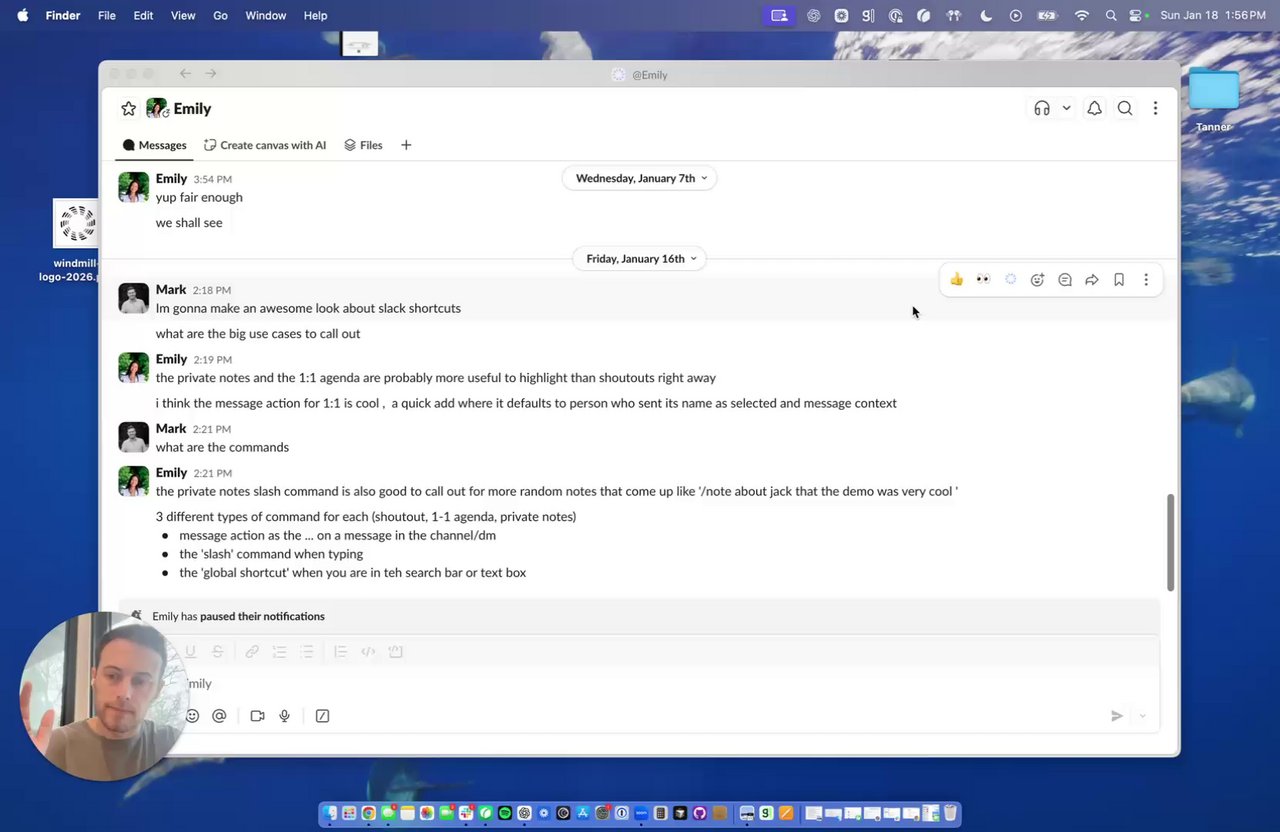
### Slack Shortcuts
We've added Slack shortcuts to easily capture context without leaving the conversation. Right from Slack, you can quickly send stuff into Windmill. To start, we have three shortcuts:
1. Create a private note
2. Add a 1:1 agenda item
3. Create a shoutout
Slack shortcuts require additional scopes to be added to the Windmill Slack app. Re-authenticate the Slack integration from the Integrations page to add the required scopes and get started.
* 1:1s Updated 1:1 opening messages to be two messages in Slack to make threading easier.
* 1:1s 1:1 preparation chats now automatically
expire after the meeting or the next day, keeping your chat list clean
* 1:1s Catch Me Up now shows source logos and a dedicated
private notes section
* 1:1s Added a banner prompting users
to import existing 1:1 notes when their notes are empty
* 1:1s 1:1 suggested topics now remain visible
for 24 hours after the meeting ends
* Performance Reviews Clarified peer nomination
flow and ensured chat link stays visible after nominations are created
* Platform Improved employee profile data by
syncing gender and pronouns from HRIS and Slack
* Platform Updated the member invite flow to support inviting members without sending notifications
* Pulse Pulse participant rows now link
directly to employee profiles
* Pulse Added ability to manually send
in-progress pulse surveys
* Onboarding Enhanced onboarding experience
with improved conversational flows
* Onboarding Employee onboarding chat now uses
the new connected integrations loader
* 1:1s Fixed 1:1 meetings not reactivating
after re-accepting a calendar invite
* 1:1s Fixed calendar empty states preventing
ad-hoc 1:1s from appearing when calendar is not connected
* Performance Reviews Fixed multiple issues in
performance review workflows including chat pluralization, peer feedback
context notes, unexpected reminders, and analytics stage filter
* Performance Reviews Fixed configuration flow
allowing progress when peer feedback time was missing
* Platform Fixed several Windy chat issues
including broken links with angle brackets, meeting link errors,
hallucinated names, and formatting issues
* Platform Fixed Windmill icon not
displaying correctly in dark mode
* Platform Fixed pause button showing for
completed pulses
* Platform Fixed avatar initials not showing on
feedback page
* Platform Fixed Recaps Slack deep link opening
old employee profile
## Jan 9, 2026
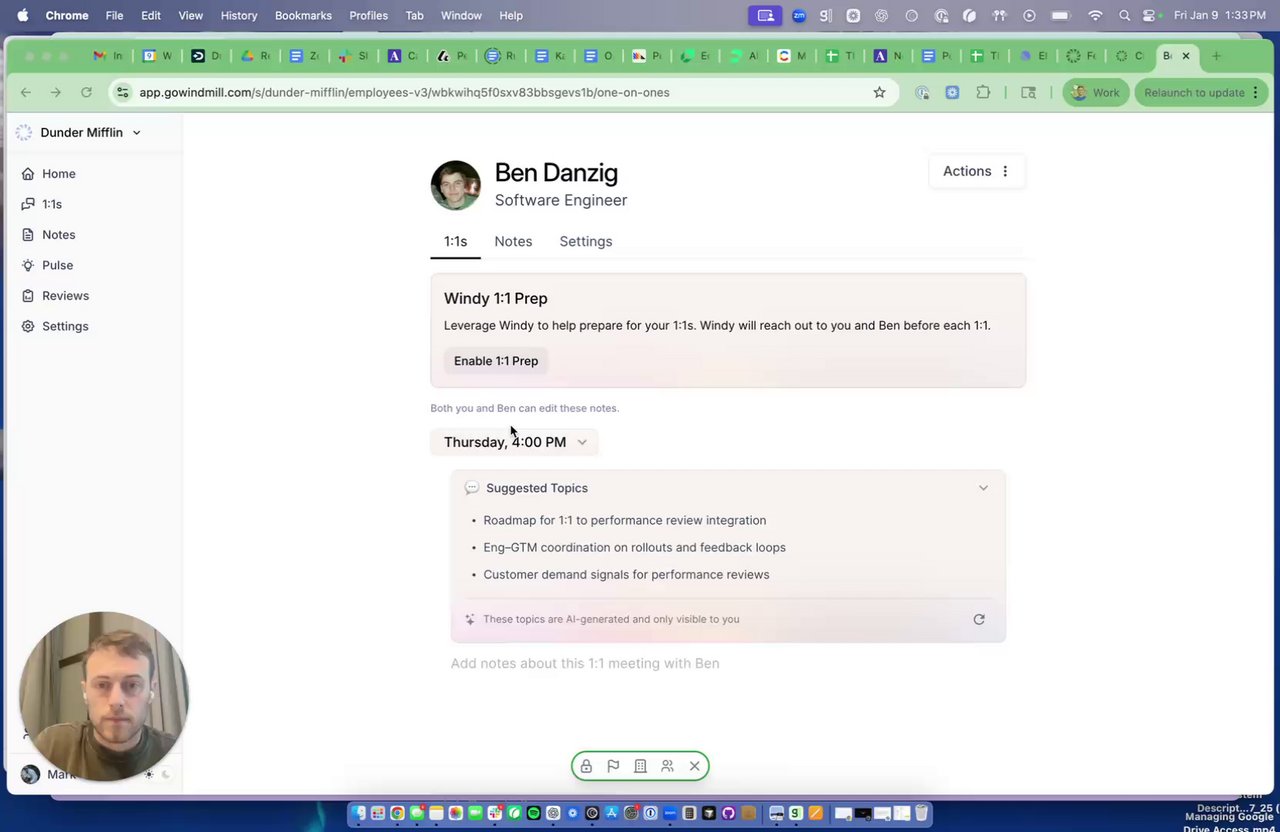
### Suggested Topic Citations in 1:1s
You can now see exactly where each **Suggested Topic** in your one-on-one comes from. Click into a topic and open **Details** to view the citation Windy used—making it easier to understand the context behind each suggestion and build more grounded, effective 1:1 conversations.
* 1:1s Added support for ad-hoc 1:1s without calendar events
* 1:1s Added citations for suggested 1:1 topics showing source references
* 1:1s Improved formatting for agenda item attribution
* 1:1s Added ability to mark suggested topics as accepted directly from Slack
* Performance Reviews Analytics now only show modules included in the cycle
* Performance Reviews Manager Review Chat links now go directly to the cycle
* Performance Reviews Added auto-save for in-progress self, upward, and peer reviews
* Performance Reviews Renamed calibration editor "Report" tab to "Pre-Read" for clarity
* Performance Reviews Clarified that manager review submit button allows later edits
* Platform Added visual indicator on homepage for 1:1s with non-member participants
* Platform Fixed Windmill logo to properly respect dark mode settings
* Onboarding Clarified first and last name entry requirements in member invite flow
* Onboarding Removed misleading Slack warning when Slack is not connected
* Onboarding Disabled manual invites for Rippling-linked employees to prevent duplicates
* 1:1s Fixed error when importing 1:1 notes from Notion
* Performance Reviews Excluded shared reviews from test cycles on employee profiles
* Performance Reviews Fixed manager dropdown showing all employees instead of members
* Performance Reviews Fixed PDF download error
* Pulse Fixed completed pulses not showing in new UI
* Pulse Fixed creator chat linking to report instead of pulse summary
* Pulse Fixed reports pulse routine links not opening the pulse page
* Platform Fixed timezone calculation bug
* Platform Fixed Slack message streaming breaking on long AI responses
* Platform Fixed weekly priorities scheduler running twice
* Platform Fixed member count discrepancy between members page and billing page
* Onboarding Fixed archived member issue after profile merge
* Onboarding Fixed unexpected error when inviting members
* Onboarding Fixed deprecated Owner role being assigned during Rippling onboarding
* Integrations Fixed Google Workspace re-auth showing existing installation error
* Integrations Fixed Slack links opening in the wrong workspace
* Integrations Fixed issue in Google Drive activity sync
## Jan 2, 2026
### Introducing Company Knowledge
Admins can now add an organization description alongside company values in Settings. This gives Windy deeper context on what your company does, why it exists, and how it operates—so feedback prompts, conversations, and performance reviews are more accurately tailored to your organization.
### Updated Pulse Response Sharing
Pulse response sharing settings now live after a Pulse runs instead of during setup. Creators can update visibility at any time—keeping results private to owners, visible to managers (by team), or shared with all participants—making the Pulse flow smoother and easier to manage.
* Pulse
Improved Pulse notification messages in Slack with direct links to pulses and responder names in first response notifications
* Platform
Renamed "Proactive Outreach" to "Windy Prompted" across the platform for clearer terminology
* Platform
Redesigned the document records page
* Platform
Fixed date tooltip text color appearing dark on dark background
* Platform
Fixed issue where invited member could appear archived and not show in member lists
* Platform
Fixed delegated access member picker showing archived members in the dropdown
## Dec 26, 2025
### More flexible review sharing and release flows
Windmill now supports both traditional and lightweight performance review release workflows. HR teams can configure who shares reviews (HR or managers), control which questions are visible to employees, lock and unlock reviews for edits, and release feedback with confidence. For lighter-weight cycles, managers can share reviews directly with employees while still respecting visibility rules — making reviews faster, clearer, and more flexible without sacrificing control.
[Learn more about Sharing Reviews](/features/performance-reviews/releasing-reviews)
### Take Command of Search
You can now use Command-K to do more than navigate—Universal Search supports common actions like creating private notes, starting a pulse, or toggling dark mode, all from one place. Commands are context-aware, so what you see depends on where you are in the app (for example, creating a private note directly from someone's page). We'll keep expanding this over time, while still supporting fast navigation across Windmill.
* Performance Reviews
Added sortable columns and grouping by manager in the performance review configuration tab for easier review management
* Performance Reviews
Added ability to edit suggestions in performance reviews
* Pulse
Improved copy on the pulse launch banner for better clarity
* Platform
Added pulse surveys to universal search for quick access
* Platform
Added ability to create notes directly from universal search
* Platform
Improved empty state copy for notes to better explain usage and provide helpful examples
* Platform
Excluded archived employees from job title search by default for cleaner results
* Platform
Fixed bug preventing Catch Me Up reports and recaps from generating for some users
## Dec 19, 2025
### Bring your 1:1 notes into Windmill
You can now easily import existing one-on-one notes from tools like Google Docs directly into Windmill. Once imported, your notes become fast, searchable, and fully integrated into your workflow — showing up in performance reviews and accessible right from Slack via Windy. No more slow docs, scattered context, or lost action items — just a smarter, more powerful 1:1 experience in one place.
### Private notes, just for you
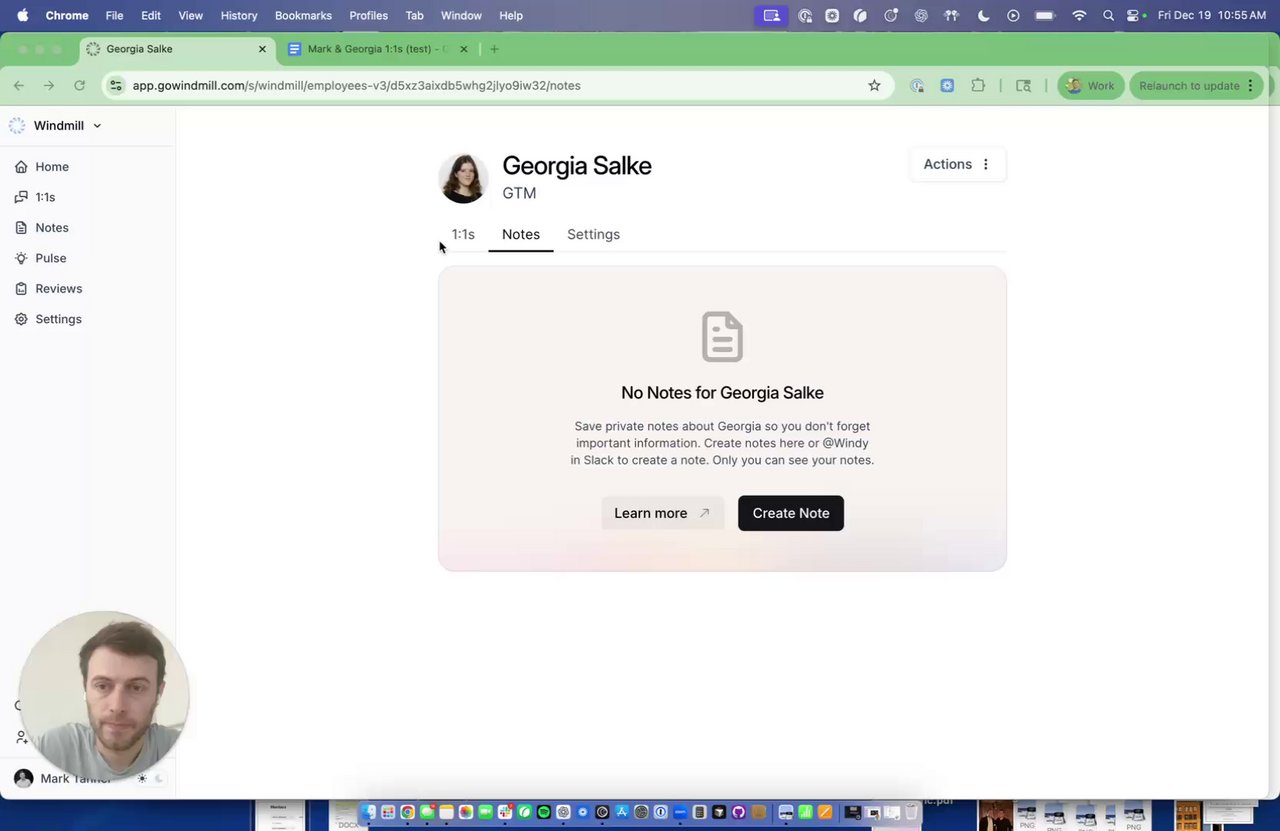
You can now leave private notes about anyone on your team in Windmill — perfect for reminders, coaching thoughts, or development areas you don't want in shared 1:1 notes. Private notes are visible only to you and automatically surface at the right moments, like before a 1:1 or during performance reviews, so nothing important gets lost or forgotten.
### Smarter deal insights for sales teams
Windmill now does a better job understanding deal activity when you connect tools like Salesforce, HubSpot, or Attio. Deal value, stage changes, and progress are more accurately reflected across weekly recaps, performance summaries, and reporting — giving go-to-market teams clearer visibility into what's really moving the pipeline.
* 1:1s
Improved 1:1 prep timing messaging to clarify when Windy reaches out
* Performance Reviews
Added 1:1 tab in performance reviews for easier navigation between reviews and 1:1 notes
* Performance Reviews
Added ability for HR Admins to archive performance review cycles
* Platform
Improved dark mode styling across the platform including toast notifications, tooltips, and buttons
* Platform
Improved toggle and checkbox components for better visual consistency across the platform
* Platform
Renamed third filter on integrations page from "Status" to "Category" for clarity
* Platform
Removed `Days Off` stat from the platform
* Platform
Improved org chart styling and usability on mobile devices
* Pulse
Added on-demand pulse summary generation with banner when new responses come in
* Onboarding
Improved employee onboarding chat with clearer messaging
* 1:1s
Improved Windy to add topics to 1:1 agendas immediately without unnecessary confirmation
* 1:1s
Fixed Catch Me Up component displaying incorrectly on mobile and missing selector on desktop
* 1:1s
Added ability to retry partially completed Catch Me Up reports with formatting issues
* Performance Reviews
Fixed broken HTML causing self-review text to display as empty
* Platform
Fixed slow 1:1 agenda syncing by triggering sync directly from the frontend
* Platform
Fixed agenda links to navigate to employee profile when V3 navigation is enabled
* Platform
Fixed error preventing employee merges from completing successfully
* Platform
Added favicon.ico fallback to ensure Windmill icon loads reliably across all browsers
* Platform
Fixed recap links navigating to incorrect employee profiles
* Platform
Fixed Figma users not syncing properly due to API issue
* Platform
Fixed bulk invite functionality from org chart for accounts without HRIS integration
* Platform
Fixed duplicate recaps appearing for specific customer accounts
* Platform
Fixed recurring Zoom meetings overwriting previous recordings, preserving historical meeting data
* Platform
Fixed scheduled meeting time calculation displaying incorrectly
* Platform
Fixed citations appearing grouped in Catch Me Up reports, now displaying individually
## Dec 12, 2025
### Pulse, now for everyone
Pulse isn't just for admins anymore. Any Windmill user can now send a Pulse to gather feedback, surface blockers, or check in with their team — all with the same powerful, streamlined experience.
We've made some significant improvements to the flow, allowing you to create a Pulse in seconds and send it to the people you're allowed to reach.
Whether you're an IC collecting feedback on a presentation, a teammate checking in on weekly blockers, or a team lead running lightweight retros, Pulse makes it easy to get the signal you need — right when it matters.
* 1:1s
Catch Me Up reports now automatically generate each week
* 1:1s
Improved 1:1 statistics by rounding numbers and setting consistent default time range
* Performance Reviews
Added ability to duplicate performance review cycles
* Performance Reviews
Added planned and scheduled tasks to cycle stats and to-dos when cycle starts
* Platform
Updated reports to use gender-neutral pronouns
* Platform
Added green status indicator for member access on org chart
* Platform
Improved user mapping interface with better controls and visual feedback
* Platform
Streamlined remove member flow with improved confirmation and feedback
* Platform
Added ability to restrict employees in Windy prompted feedback
* Pulse
Added on-demand pulse summary generation
* Pulse
Added pulse nudges to pulse detail page
* Onboarding
Updated employee onboarding Windy conversation
* 1:1s
Fixed Catch Me Up component displaying incorrectly on mobile devices
* 1:1s
Fixed archived employees incorrectly appearing in 1:1 statistics
* 1:1s
Fixed suggested topics incorrectly prompting for questions instead of adding to agenda
* Platform
Fixed employee profile page not loading
* Platform
Fixed duplicate recaps appearing in user accounts
* Platform
Fixed integration users filter import breaking frontend functionality
* Platform
Fixed new users being created with 'Unknown' names during HRIS sync
* Platform
Fixed internal meetings not being properly labeled in meeting statistics
* Platform
Fixed manual report generation failing for recaps
* Platform
Fixed Figma integration not fetching files
* Platform
Fixed bug causing recordings to be matched to incorrect meetings
## Dec 5, 2025
### 1:1 Stats
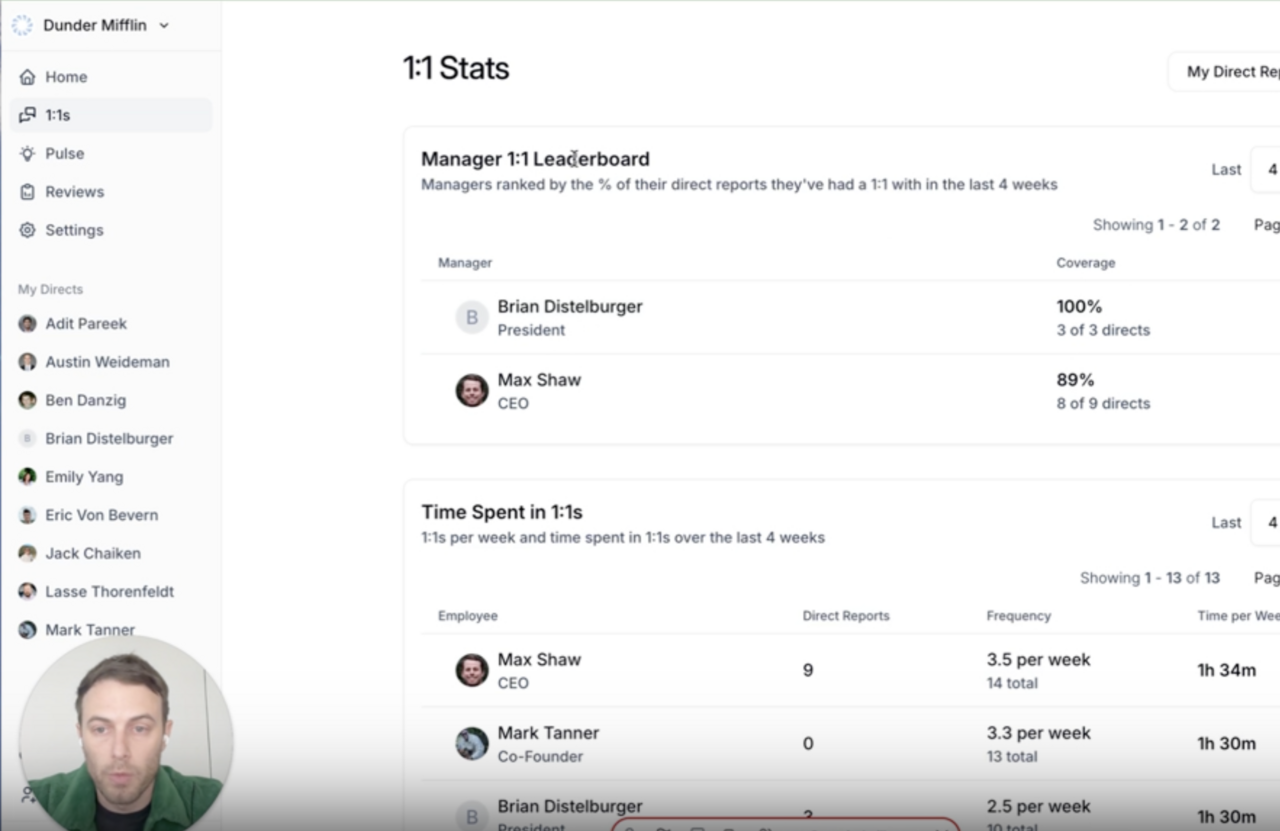
Windmill now includes 1:1 Stats, giving managers and admins a clear view of how consistently conversations are happening across the organization.
You'll find a new **View Stats** button at the top of the [1:1 screen](https://app.gowindmill.com/COMPANY/one-on-ones) highlighting key patterns, including:
* Manager 1:1 completion rates (leaderboards across the org)
* Total and average time spent in 1:1s
* Employees or pairs meeting less frequently than expected
* Note-taking activity inside Windmill
These insights help you quickly confirm whether 1:1s are happening at the right cadence, spot teams that may need support, and strengthen communication across the organization.
### 1:1 Suggested Topics
The day before each 1:1, Windy automatically surfaces a short list of topics tailored to you. These suggestions act as memory joggers—recent work, decisions, priorities, or follow-ups you may want to discuss. You can add any topic to your agenda with one click or dismiss items that aren't relevant.
Managers and direct reports each receive their own personalized suggestions. When either person adds a topic, Windmill labels it with their name so it's clear who contributed what.
Suggested topics are now available across all accounts, making 1:1s easier, more thoughtful, and more productive without any extra prep.
* Platform
Added new onboarding cards to home page
* Performance Reviews
Improved answer generation by including current answer context in performance reviews
* 1:1s
Added previous performance reviews to Catch Me Up
* 1:1s
Improved Asana and Jira user sync handling
* 1:1s
Fixed issues with 1:1 meetings not getting classified correctly
* 1:1s
Fixed day of week displaying incorrectly in upcoming 1:1s notifications
* 1:1s
Fixed 1:1s being incorrectly cancelled due to calendar sync timing between participants
* Platform
Fixed meeting time statistics incorrectly showing zero internal/external meetings
* Platform
Fixed merge employee dialog buttons not responding after successfully merging employees
## Nov 21, 2025
* Platform
Improvements to Org Chart management
* Integrations
Better employee mapping controls for GitHub, Figma and Jira
* 1:1s
Improvements to Google calendar syncs for 1:1s
* Platform
Improvements to Dark Mode states
* Platform
Faster onboarding with better linking into the platform
* Platform
Consistent use of display names across the product
* Platform
Bulk archive and merge flow for duplicated users
* 1:1s
Bug fix for failed syncs on 1:1s
* Platform
Bug fix for Windy prompted feedback
## Nov 14, 2025
* Platform
Improve Windy's access to the Help Desk
* 1:1s
Improvements to "Catch Me Up" context in 1:1s
* Platform
Improvements to access delegation
* Platform
Improvements to account onboarding experience for new users
* 1:1s
Improvements to 1:1 labeling
* Integrations
Better syncing for Zoom integration
* Platform
Improvements to merging employees
* Integrations
Enhancements to Salesforce syncing
* Integrations
Fix for Roam meeting linking
* Integrations
Bug fix around Attio parsing
* 1:1s
Fixed the dropdown in the "Catch Me Up" panel
## Nov 7, 2025
**Big updates coming soon...**
We have been hard at work making some big improvements to the platform with a goal of everything being faster, easier to use and impactful for your organization. Stay tuned here for all of the latest, and if you need a refresher on what we're up to, check out the following resources:
* [Windmill Website](https://gowindmill.com/)
* [1:1s on Windmill](https://www.loom.com/share/cf475009b17d405ab724f826e043451b)
* [How Windmill works?](https://gowindmill.com/science/)
- Improvements to onboarding
- Improvements to 1:1 meeting load times
- If you edit discussion guides for 1:1s, the questions will now show up in the agenda alongside the answer
- Windy will share how many questions are in the flow at the beginning of the conversation
- Better name generator for pulse surveys
- Improvements to Slack unfurl
* Bug fixes for Roam, HubSpot and Zoom
## Oct 31, 2025
Every single week we are improving the 1:1 flow to make Windmill the best possible place to store your 1:1 notes on the internet. If you haven't tested the flow out yet, see how it all comes together here:
{" "}
* Select your desired integrations during onboarding
* Significant improvement to onboarding copy
* Improvements to Google workspace group syncing
* Cleaner design for the 1:1 side panel
* Better product marketing for 1:1s
* Improvements to Airtable syncing
* New help site links everywhere in the platform
* Improvements to the Rippling integration
* When launching a pulse with a number of questions, Windy will now alert you to how many questions are in the sequence
* Fixed a bug that was showing cancelled 1:1s in the UI
* Fixed a bug that led to odd formatting blocks in Windy responses
## Oct 24, 2025
We've improved the notes section of the 1:1 experience to be faster, smoother and easier to use with your team. Each of your meeting instances will be available in the notes section, and you can always remove dates if the meetings don't take place.
We've also made some improvements to the "Catch Me Up" section to improve not only the load times, but also the quality of the information in there.
* When an employee is archived, we will automatically disable 1:1 prep
* Improvements to onboarding, making it easier and faster to get into the product
* Better handling for users with multiple Slack accounts
* Bug fix for the sub-header of 1:1s showing incorrect information
## Oct 17, 2025
Do you keep your 1:1 notes in:
* Google Docs?
* Notes App?
* Record them?
If you're doing any of the above - you have to try running your 1:1s on Windmill. You're going to love it.
[Check out the latest here.](https://www.loom.com/share/cf475009b17d405ab724f826e043451b?sid=ef47e98c-53a4-4ca8-aa47-2f1f0b88ad89)
Bring your meeting recordings directly into your 1:1s. Do you record your 1:1s? If so - Windmill can now capture the recordings, and install the notes directly in your 1:1 for you. For more information on meeting recordings, you can check out an article here.
* Improvements to 1:1 notifications
* Links now work within the 1:1 cells
* Improvements to the Attio, Notion, Jira, HubSpot, Zendesk, Gong, GitHub, Asana and Front integrations
* Improvements to the groups UI
* Added a 30 minute option for 1:1 prep notifications
* 1:1 toolbar now works in dark mode
* Better handling to transfer ownership of a 1:1
* Survey reports delivery bug has been resolved
## Sep 12, 2025
We've been blown away by the reaction thus far to One on Ones and are excited to make it a core building block within the product. As a refresher - Windy will build your one on one agenda for you. Agendas will include specific items that are top of mind and will include context about the work the team member has done since you last spoke.
Stop showing up to your One on Ones unprepared - and start making better use of the time. Windy is here to help!
* Improvements to One on One agenda titles
* Improvement to visibility messaging within the platform
* Improvements to report citations
* Attio Stats!
* Bug fix around scheduled report permissions
* Bug fix for bad logo rendering
## Sep 5, 2025
### Announcing 1:1s
One of our favorite Routines yet! Regardless of your cadence, One on Ones are an important part of managing a team. The best One on Ones have a clear agenda, and a manager comes into the meeting with all of the context necessary to make good use of the time.
Windy can help collect agendas, aggregate context and follow up on action items. In addition to One on One notes, this Routine will also give you the ability to leave notes through Windy. These notes can help add to One on One agendas or just overall reports about your direct reports. The One on One routine is available now - give it a try, we're excited to hear your feedback!
### [Rippling](https://gowindmill.com/integrations/rippling)
Having an up-to-date org chart is essential to getting the most out of Windmill. If your team uses Rippling as an HRIS, you can now connect Rippling to Windmill.
### Download to PDF
One of our more popular requests - customers can now download reports as PDFs. Open the Report you want to download and select the option to "Download PDF".
* Improvements to the One on One meeting classifier
* Added Slack link unfurling to allow for full Report previews within Windy
* Added [ChartHop](https://gowindmill.com/integrations/charthop) as an available integration
* Improvements to employee onboarding flow for first time Routine participants
* Resolved a bug impacting Report generation
* Fixed a bug around Notion authentication
## Aug 29, 2025
### Improved Routine Overlaps
As Windmill continues to grow within organizations, we've seen instances where a single team member is enrolled in multiple Routines. This can create an uncomfortable experience for team members where they are being asked the same question multiple times in a week.
Now, when setting up a Routine, Windmill can alert you to any team members who are already enrolled in that Routine. As part of this fix, you can now have multiple Feedback and Recap Routines running across an organization.
* Resolved a bug with merging duplicate employees and improved the overall experience
* When creating a routine that sends "manually", we moved the "run" button to make it clearer where you can begin your routine
* Improvements to the Weekly Priorities Report format
* Improvements to Google Meet syncs
* Improved the Routine creation flow to show relevant integrations earlier in the flow
* Better handling for long Report titles in the "Reports" tab
* Improvements to the quality of the Goals generator
* Include the date for CSV export
* When relevant, moved the Action Items to the top of Reports
* Fixed a bug with the CSV export from the stats page
* Fix for the Groups dropdown and Groups icons
## Aug 22, 2025
* Improvements to One on One meeting classification
* We've included a sample report during onboarding to help better orient users to the platform
* Significant improvements to employee merging and org chart management
* Improved cards used to display meeting details
* Fixed a bug around CSV Export
* Bug fix for the Routine filter not showing the correct Routines
* Resolved a bug for the incorrect duration displaying in certain reports
* Fixed unaligned nudge buttons within Routines
* Resolved a bug around stats displaying incorrectly
## Aug 15, 2025
### Emojis
Windy chats can become crowded in a hurry. We've added emojis to help you differentiate between different Windy messages. Check it out below!
* Rename the Employee tab to Org Chart
* Improvements to Org Chart search
* Settings tab no longer gets buried by direct reports
* Improvements to editing participants in a routine
* Improvements to GitHub Stats
* Improvements to deep dives
* Emoji per chat!
* Fixed a bug that led to the incorrect displaying of the X axis on graphs
* Bug fix for bad loading states in the product
## Aug 8, 2025
### [Windmill Homepage](https://gowindmill.com/)
Our product has grown up significantly over the last two months. Windmill and Windy have become faster, easier to use and more powerful for our users. We've now updated our website to reflect these changes to showcase the power of Windmill. Check out the latest updates to [gowindmill.com](https://gowindmill.com) and let us know if you have any thoughts or feedback!
### [Nudges](https://www.loom.com/share/29762c3eec194935906b2bd8ee4a887d?sid=cce80eb6-2adc-47dd-b41c-9fc146322dc1)!
As the creator of a Routine, you will always have the lingering non-responders. People who "missed the message on Slack", "missed the deadline" or "opened the message and then forgot to reply". No matter what their excuse is, we built this function for them.
Now available in Windmill is a Nudge function, which will let you send your own reminders to non-responders. Click into your Routine, and send nudges to anyone who has missed, ignored, or forgotten about your prompt.
* Improvements to formatting issues in Reports
* Improvements to the zero response state for Routines
* We no longer show response rate before the Routine has been run
* Better tooltips for the different nudge states
* Improvements to the GIF sent when Windy is messaged outside of a thread
* We now prevent the creation of anonymous Routines with only one participant
* Download CSV of replies from any report
* Resolved a bug that led to Routine pages breaking
* Bug fix for a bug that adjusted the reminder times for Routines
* Fixed an issue with manually adding participants to a Routine
## Aug 1, 2025
### [Goals!](https://www.loom.com/looms/videos/Customer-Videos-e41295670d0b4c1e93a07588b54f9782)
One of our most powerful Routines is now live. Are you managing goals in a clunky spreadsheet or project tracker? Are you constantly bugging your team to add their updates? Windmill's Goals Routine is the best way to keep track of your team's progress.
Upload your team's goals to Windmill and Windy will check in with the team every week for their updates. As a team member, you no longer need to log your updates manually in a tracker. As a manager, Windy will organize all of the updates into an easy to read report that will be sent to you on whatever cadence you prefer.
### Routine Requester
When setting up a Routine, you may want to include the requester's name or in some cases, include someone else's name. I'll give you an example:
If I am collecting Goals from my team, I may want Windy to say "Mark wants to know how you're tracking on your goal?"
If I am helping organize the team's All Hands meeting, I might want to use the CEO's name in the prompt so team members know Max wants agenda items.
As an Admin within Windmill you now have the ability to:
* Include no name
* Include your own name (or someone whose account you have delegated access to)
* Include the recipient's Manager as the requester
All of these settings are configured within the Routine page (after the Routine is created).
### Improved Report Sharing
If you want to share reports with team members, we've improved that flow. Within the Report, just select "Share" on the top right and choose the setting that allows anyone with the link to access the report or to share it with people one by one.
* Improvement to chat delivery delays
* Improvements to GitHub contributors
* Improved formatting of citations in table of contents
* If you reply outside of a thread, Windy will teach you how to reply in a thread (gif below)
* Fixed an issue with Stats table truncating text
* Bug fix for un-clearable unread icon on Reports tab
## Jul 25, 2025
### Report Sharing
Windmill Reports offer you valuable insight directly to Email and Slack. However, they were previously only useful to one person. Now Reports can be easily shared across the org. Just go into the Report and you can share directly with others.
### Windy Reminders
Windy now supports natural language reminders, letting users ask things like "remind me in five minutes" across any chat type—tasks, goals, updates, and more. This quick, flexible feature helps users stay on track without needing separate tools or calendar hacks. Just chat with Windy in your Slack DM and tell Windy what to do.
### Better Group Admin
A dramatically improved Groups editing flow! Windmill is the home for both your vertical org chart (who reports to whom) and your horizontal org chart (who is actually collaborating on projects etc.). The new Groups UX introduces a cleaner interface with improved functionality, including the ability to create and rename groups and add or remove members directly from the page. If you want to get set up with Windmill quickly, you can easily build a group and set up a Routine without the hassle of building the full org chart.
If you're an Admin, navigate to Settings > Groups to check it out.
* Report prompts are now visible within the final Report
* Improvements to 404 page
* Improvements to the team picker during Routine setup
* Improvements to error handling for Reports with permissions issues
* Improvements to Report subject lines
* Better introductory disclaimers for auto-generated Reports
* Update to handle slugs under 5 characters during account creation
* Improvements to meeting labeling to better categorize External and Internal
* Limit Routine Slack updates to only the creator - not all co-owners
* Fix for a Notion OAuth bug
* Fix for overlapping text on Stats page
## Jul 18, 2025
### Accomplishments to Recaps
**Overview**
We're updating the name of the Windy routine from "Accomplishments" to "Recaps." This change aims to better reflect what the feature is truly designed to do: provide a lightweight summary of what each team member has been focused on during the week.
**Why the Change?**
The term "accomplishment" caused confusion. Many users interpreted it as referring only to completed, significant work. That led to underreporting of important in-progress efforts or smaller—but still valuable—tasks. We chose the name "Recap" because it more accurately captures the feature's purpose: summarizing where time was spent, regardless of whether the work is finished.
**What's Different?**
There's no real change in functionality. Here's what's been updated:
* **UI Update**: We've replaced checkmarks with bullet points to remove the impression that everything listed is complete.
* **Prompt Tweak**: The AI prompt is now worded to encourage a more comprehensive summary, not just final deliverables.
* **Name**: Everywhere you previously saw "Accomplishments," you'll now see "Recap."
### Second Owner on Routines
Yes, once the routine is created, you can click into the routine and you'll see a section called "owners". Through the edit pencil, you can add owners to the routine, this will give them access to not only the individual responses, but also the final report.
### Attio Integration
If your team uses Attio as its CRM, you are in luck! Windmill now supports Attio as an integration, letting you pull in essential deal data from your CRM to help power Windy.
* Improved conversation flow for Windy initiated shoutouts
* Improved handling when users ask Windy what time routines go out
* Improved delivery for Reports via Slack
* Improvements to the labeling of meetings without matching calendar events
* Bug fix for visibility issue on Routine responses
* Bug fix for Accomplishments overflowing in the UI
## Jul 11, 2025
### Windmill Help Desk
Welcome to the new Windmill help desk. We've completely overhauled our help desk with new Looms, articles and walkthroughs of how to get the most out of the Windmill product. Enjoy it, and please don't hesitate to reach out with questions or thoughts on new content we can add.
### Multiple Routine Owners
Windmill now lets you assign **multiple owners** to any routine (e.g., Priorities, Continuous Feedback). Once a Routine is created, you can click into a Routine and within the "Owners" section, add as many owners as you'd like. All owners will automatically receive routine responses and reports, and gain full edit permissions. This makes shared accountability easy—and Reports and Routines can easily be shared across teams.
### Mass Shoutouts
You can now give a shoutout to multiple people in the same shoutout! Simply ask Windy something like, "Can I give a shoutout to Alice, Bob and Carol for doing such a great job presenting at the All-Hands?", and your shoutout will be sent to your company's channel as one Slack message, @ mentioning them all.
* Better handling for unthreaded messages with Loom tutorial
* Better visibility into the expiration of Routines for responders
* Improvements to the Deep Dive error states
* Improvements to the Reports chat delivery experience
* Resolved a bug where an archived routine affected the ability to create a new routine
* Resolved a bug in the selection of participants in a Routine
## Jul 4, 2025
### Routine Alerting
A big pain point we heard with routine creators over the last two weeks is that creators want better alerting as a routine is running. We have now implemented the following to help fix that for creators:
**Better alerting for routine creators - creators will now be pinged:**
* When the routine goes live
* First reply
* First day update
* Daily report on responses until the routine deadline
**Better Report delivery after a routine has been completed**
When a routine is completed and a report is generated, Windy will send you a link to the final report in Slack.
* Improvements to chat delivery alerts in UI
* Creators can now add participants to an active Pulse
* Improvements to the employee view and org chart management
* Better admin controls on the Employee page
* Improvements to reports
* Improvements to reports data parsing from multiple connections
* Fixed a bug where reports weren't able to generate from Slack
## Jun 27, 2025
We've been overwhelmed by the response to Routines thus far, and we've been blown away by the types of things customers have started to use Windy for. Whether it be:
* Feedback on All Hands
* Monthly alignment check-ins
* The collection of meeting agendas
* Feedback on candidates
The use cases are extremely exciting to see, and the list is only growing! We're rapidly improving the experience as well, here are some of the big items from last week:
### Routine Deadlines
Different routines require information delivered at different times. We have now added the concept of a deadline which will let the creator specify when they need the responses. This is essential for items like Priorities, stand-up notes or meeting agendas. If you create a routine asking the team about agenda items for a meeting in two hours, you can now set that routine to end right before that meeting. Depending on the deadline you set, Windy will follow up before the routine closes to nudge non-responders.
### Editable Discussion Guides
Windy makes it really easy to ask questions to large groups of people, and Windy also helps contextualize and understand those responses by auto-generating reports for you. However, not all questions can be simplified into a single ask. What if you have follow-up questions? Now, in routine creation, Windy will give you the ability to edit your discussion guide. This will let creators add any follow-up questions they'd like Windy to ask. Here is an example - by hitting Edit on the discussion guide, I am able to add follow-up questions about our in-office experience.
### Threaded Messages Only
Replying to Windy can only be done in threads. Previously Windy would try to continue the conversation with you if the response was in a separate thread. However, this experience presented other challenges, so now Windy will only let you reply in the proper thread. If you attempt to reply out of a thread, Windy will quickly nudge you back in the right direction.
* Platform
Improved language for chat deadlines
* Platform
Improved citations in reports
* Platform
Improvements to the reports inbox with unread indicators
* Routines
Updates and improvements to routines cards
* Platform
Report progress indicator
* Platform
Icons included on the feed routine dropdown
* Platform
Better report naming
* Platform
Generate a perf review directly from report creation screen
* Platform
Better handling of Slack permissions issues on shoutouts
* Platform
Improvements to the display of open chats on the homepage
* Platform
Bug fix for editing accomplishments in the platform
* Platform
Bug fix for bad minute formatting on minutes
* Platform
Fixes to a timeline bug
* Routines
Bug fix on response totals in routines
## Jun 6, 2025
### The best organizations have routines.
We are going to begin rolling out an updated version of Windmill to select customers next week (and will continue a phased rollout over the next few weeks). This update gives users the ability to control Windy on their own. Previously, Windy could assist with accomplishments and feedback, but in speaking with users, there are hundreds of other routines that Windy can assist with:
* **Daily Stand-ups** - AI-generated daily check-ins with integration data to replace or shorten stand-up meetings
* **Weekly Priorities** - Automated priority collection and alignment reporting to ensure teams stay focused
* **Weekly Blockers** - Proactive blocker identification and escalation to remove friction before it compounds
* **Pulse Surveys** - Custom employee surveys with natural language responses and comprehensive insights
* **Performance Reviews** - Lightweight monthly self-reflection and manager feedback cycles instead of heavy annual reviews
* **Goals & OKRs** - Automated goal progress tracking with risk identification and mid-cycle review reports
* **One-on-One Agendas** - AI-prepared meeting agendas based on recent activity, past meetings, and role context
* **Meeting Agendas** - Automated agenda item collection from attendees before group meetings
* **Meeting Feedback** - Monthly audits of expensive recurring meetings with improvement recommendations
* **Sprint Retrospectives** - Pre-meeting reflection collection to make retros more focused and efficient
* **Interview Feedback** - Structured post-interview feedback collection with consistent evaluation rubrics
* **Employee Onboarding** - Daily then weekly check-ins for new hires to catch confusion early and improve ramp-up
* And countless more...
Not only will Windy help collect the information, but Windy will also organize a report to share the learnings and trends from the team. Think about the routines you're currently running with your team, Windy is excited to help.
* Additional context for accomplishments & feedback
* Improvements to document-based feedback and accomplishments
* Improvements to meeting sync
## May 30, 2025
A management system built specifically for you is coming soon. We are putting the finishing touches on this next iteration of both Windmill (and Windy). These updates are a culmination of incredible feedback from all of our customers, and we are excited for you to see it.
As always if you want a preview - grab some time with me next week: [https://cal.com/marktanner/15min](https://cal.com/marktanner/15min)
[**If you haven't turned on Shoutouts yet, it's not too late.**](https://www.loom.com/share/8f429ea0ae7141bdb1ede3791ddc52f8?sid=87a1af14-5bde-46d9-822d-bd86ac03a575)
* Platform
Improvements to Windy response times
* Platform
Improvements to Accomplishments
* Platform
Bug fix for a meeting time zone issue
## May 23, 2025
### A whole new Windmill coming soon...
The team is still pushing hard to bring you the new and improved Windmill. The first AI management system that helps you run your team without the headache. As we put the finishing touches on the new features, we're always looking for more feedback. If you're excited about Windmill, and want a preview - grab some time with me next week: [https://cal.com/marktanner/15min](https://cal.com/marktanner/15min)
* Improve document history syncs
* Better format for Slack @ messages
* Deep dives should more accurately pull meeting history
* Bug fix for duplicate accomplishments
* Fix for deleted entities being included in accomplishments
* Bug fix for Windy thread handling
* Bug fix for Shoutouts pulling in company values
## May 16, 2025
### Big changes coming soon...
The team has been hard at work, and we're almost ready to show you the future of Windmill. If you're excited, and want a preview - grab some time with me this week: [https://cal.com/marktanner/15min](https://cal.com/marktanner/15min)
### Bug Fixes & Improvements
* Improvements to accomplishments
* Resolved a bug which pulled in older Asana tasks into accomplishments
* Improvements to deep dives, accessing older meetings
* Bug fixes for company values in shoutouts
## May 9, 2025
### Shoutouts can now incorporate company values
Last week we rolled out [Shoutouts](https://help.gowindmill.com/features/shoutouts). This week we enhanced that experience even more by adding your company values. Not only can you collect shoutouts from your team, but you can also prompt your team for value-based feedback, and continue to encourage your company goals and values.
### Significant improvements to Windy
Windy is getting smarter and faster every week. If you haven't chatted with Windy in a bit you'll start to notice that Windy is smarter, easier to talk to and more knowledgeable about your organization. As a reminder, you're always welcome to ask Windy to:
* Collect feedback on a team member
* Proactively give feedback about someone
* Generate your weekly accomplishments
* Edit your weekly accomplishments
* Tell you your schedule for the week
* Share feedback you've received
* Give you a summary of your overall performance
As a manager, Windy is always there to answer any questions about your team. Don't be afraid to bother Windy any time you need something.
* Made improvements to unthreaded behaviors in Windy chats
* Improvements to Deep Dives
* Improvements to Notion syncs with better handling of 404s
* Every Windy chat will now @ the user
* Resolved a bug that affected the visibility of private channels in Windmill
* Fixed an issue where failed accomplishments would load for extended periods of time
* Fixed a bug where Windy was incorrectly associating PRs with the wrong authors
* Resolved a bug on the Slack settings page
* Fixed an issue affecting Asana syncs
## May 2, 2025
### [Shoutouts](https://www.loom.com/share/8f429ea0ae7141bdb1ede3791ddc52f8?sid=0d0edac1-3e81-4bb0-8739-c558fa65ee40)!
Windy already collects feedback from your team, but some feedback is worthy of sharing with the whole team or organization. Now, through shoutouts, Windy can prompt you to share pieces of positive feedback in a dedicated shoutouts channel (of your choosing).
Say goodbye to your clunky kudos form or empty kudos channel. Let Windy gather the content for you, and keep the team motivated and recognized.
* Improvements to Deep Dives
* Better handling for employees without correct permissions
* Better handling of questions around upcoming tasks
* Added Gong recording comments
* Enhancements to the Figma integration
* Improvements to Notion syncs
* Updated accomplishments flow for users who have limited connections
* Fixed an issue with Gong calls not storing properly
* Fixed a bug where GitHub mapping would clear incorrectly
## Apr 25, 2025
### Improvements to the stats detail page
As a manager, when reviewing stats it's easy to get lost in all of the information. We know it can sometimes be overwhelming - particularly when you see everything in a single place. We've made some tweaks to the UI so you can now better navigate and better understand the stats.
In the stats detail page, you will now see a tab for each of the following:
* The activities associated with the stat (Pull Requests in the below screenshot)
* The trend line for the individual over the period of time you select
* How the individual compares to the rest of the team in a given category
Hopefully this makes stats easier to browse and understand.
## More time options for accomplishment review
Everyone preps for the upcoming week at different times. As a manager, you now have more options for when to review your team's accomplishments. Go into Settings > Accomplishments > and you can edit the delivery time to almost any time you'd like.
* All weekly accomplishments are now generated and sent at 12pm (noon) local time
* Continued improvement to accomplishments quality
* Better handling when asking Windy multiple prompts in a singular thread
* Improved responses for Deep Dives without sufficient data
* Improvements to Gong stats
* Better handling for time zone issues across Deep Dives and accomplishments
* Fixed a bug on the "auto-join all public channels" option for the Slack integration
## Apr 18, 2025
### Gong Integration now syncs comments and contributes to stats
Last week we launched our Gong integration, focused on providing valuable insight from your sales team. This week we added two significant upgrades to the integration allowing users to both generate Gong stats and access video comments.
If your sales team uses Gong, you can now supercharge its capabilities by connecting it to Windy.
### Citations are available for accomplishments and stats
One of the key benefits to using Windmill as a manager is being able to quickly go from a high level view of everything into the weeds. We have now taken that a step further. Within the Windmill platform now, we have made every citation clickable so you can link out directly from Windmill to the underlying platform.
* Need more context on a ticket? Click through to Linear.
* Need more context on a PR? Click through to GitHub.
* Want to find the Slack thread associated with an accomplishment? Click through directly to that part of the conversation.
### Bug Fixes & Improvements
* Accomplishments better incorporate Slack messages
* Improved recall for accomplishment citations
* Overall improved accomplishments quality
* Improvements to feedback prompt quality
* Improvements to the Notion integration to avoid issues around rate limits
* Fixed a bug that interfered with Figma document syncs
* Fixed a bug that caused employee merges to error
* Improvements to the handling of GitHub stats
* Enhanced the flow when trying to proactively give feedback to multiple people within an org
* Deep Dive improvements
* Better handling of Time Zones
* Better handling of requests from integrations where Windmill lacks a connection
## Apr 11, 2025
### New Integration: [Gong](https://www.loom.com/share/9b8ac95cf523483c8fe5591a7e27378d?sid=3c4697f9-0225-4ec0-9c66-fdd2b370f60c)
One of the more popular requests for a few weeks now has been Gong. If your sales team uses Gong, Windy can now pull recordings and transcripts and apply them to feedback and accomplishments.
### Improvements to Deep Dives
We are continuing to make Deep Dives better. Whether you are using Deep Dives via the Windmill platform or via Slack, our goal is to deliver you actionable insights that would have required a lot of time or effort to compile without Windy's help.
Let us know what you think!
### Enhancements to requesting and giving proactive feedback
Giving and requesting feedback through Windy is getting better every single week.
If you haven't yet, try two things this week:
1. Hey Windy, can I request some feedback from \_**\*\***\*\***\*\***\_\_ (enter co-worker) about \_\_**\*\***\*\***\*\***\_ (enter something you worked on)?
2. Hey Windy, I'd love to give some feedback to \_**\*\***\_**\*\***\_ (enter co-worker) about \_**\*\***\_\_**\*\***\_ (enter the thing you want to provide feedback on)
* We released a significant upgrade to the processing of accomplishments. You should see significant improvement in your weekly accomplishments. As a reminder, accomplishments only have access to data from systems connected to Windmill. If you ever want to know what Windmill has access to, just ask Windy.
* Improvements to Figma document syncs
* Enhancements to Google workspace syncs
## Apr 4, 2025
### Request to give and receive feedback
This has been a popular request from users for a while now. Windy can always collect feedback from your team, but sometimes you have feedback you want to request on your own. Windy can now request feedback from others and give feedback based on user requests. Just let Windy know who you want to give feedback to or collect it from and Windy can do the rest.
### Deep Dives
As a reminder, we launched Deep Dives last week, and we've been blown away by the power of the feature. If you haven't tried a deep dive yet, reach out to Windy in Slack today and have Windy do the work for you.
### Windy Stats
Now that your team is engaging with Windy, it's useful to keep tabs on Windy stats. The following stats are now available in your stats table:
* Windy Chats - The total number of chats initiated by anyone
* Windy Initiated Chats - The total number of chats initiated by Windy (first message is from Windy)
* User Initiated Chats - The total number of chats initiated by the user (first message is from the user)
* Windy Response Rate - The % of chats that a user responds to that are initiated by Windy
A full list of our stats [is always available here](https://help.gowindmill.com/data/stats).
* Increased the feedback expiration timing to one month (up from 7 days). This will give you more time to reply to outstanding requests.
* If you initiate a Deep Dive in Slack, Windy will not email you a copy of the report. Emails are only triggered from Deep Dives run directly in the Windmill Platform.
* Improvements to the Figma integration
* Fixed a few bugs in Deep Dive to yield better and faster responses
* Resolved a calendar bug that was omitting external meetings
* Onboarding bug fixes
* Fixed a bug where stats were populating for systems that are not integrated
## Mar 28, 2025
### [Deep Dives](https://share.descript.com/view/nmUotbrl2Rh)
Today we're launching Deep Dives, a brand-new way to interact with Windy. Until now, Windy has focused primarily on gathering information from you. With Deep Dives, you can now ask Windy your own questions. Windy will generate detailed research reports that combine feedback, accomplishments, and underlying data gathered through your connected integrations.
To start using Deep Dives, just ping Windy in Slack with your question. Here are a few ideas to inspire you:
* *Austin just started. How's he doing and what has he been up to?*
* *How much time have we been spending in meetings recently?*
* *I have a 1:1 with Jack soon—what should we talk about?*
* *What are the common issues in my team's PRs?*
* *Who's the best at demoing our product?*
- Completely rebuilt Windy's internals, making Windy smarter and capable of handling more complex requests (like Deep Dives!). Expect more exciting features soon.
- Updated the accomplishments algorithm to handle repeated activities more effectively.
- Windy now respects user timezones and Slack activity status, ensuring users are pinged only when available.
- Slack messages are now expanded by default, making them easier to read.
- Users can now authenticate with Microsoft 365 accounts. Currently, this integration is limited to authentication and does not sync data.
* Resolved an issue where Google Meet recordings weren't always pulled in correctly.
* Resolved an issue causing Slack @mentions to occasionally display invalid IDs.
* Resolved an issue where meetings were sometimes missed.
## Mar 21, 2025
### Improvements to new user onboarding
After accepting an invite to Windmill, an admin is now greeted with this setup screen to help expedite the account setup stage. From here, an admin has easy access to connections and an easy way to invite other team members who may be needed to get systems connected.
### Improvements
* Improvements to the Jira integration - should lead to better Jira-based accomplishments
* Fix to improve Figma syncing
* Improvements to Notion integration
* Bug fix for GitHub activity commit syncs
* Improvement to Airtable connection
## Mar 14, 2025
### New [Windmill website](https://gowindmill.com/)
Earlier this week, we unveiled our brand website, showcasing the full power of Windy. We have received a ton of positive feedback on the launch, website and product. If you're interested in bringing Windy to your org, we'd love to speak with you! [Book some time here](https://gowindmill.com/start).
### [Figma Stats](https://help.gowindmill.com/data/stats)
If you've connected Figma to Windy - you can now see Figma stats in your stats views. As always, a full list of our available stats [can be found here](https://help.gowindmill.com/data/stats).
### Table exporting from Windmill stats
Speaking of stats, you can now export stats to a CSV! This has been a popular request, and now you can create any stats views you'd like and export to CSV.
* Improvements to the onboarding flow
* Accomplishments now give final edit rights to the users
* Links to the Windmill dashboard have been added to accomplishment and feedback chats
* Bug fixes for dupes in accomplishments
* Bug fix for bad calendar events
* Bug fix for Airtable syncs
## Mar 7, 2025
### Figma is Live!
If your team uses Figma for design, you can now connect Figma to Windy. Connecting Figma is straightforward, all you need is:
* An account Admin
* [Access to your Figma team ID](https://www.figgle.io/articles/how-to-find-my-figma-team-id)
Once Figma is connected, Windy will be able to include Figma activities in accomplishments, feedback requests and in stats. One of the best parts of connecting Figma is that Windy can sync in all previous data, providing a ton of additional context for all of Windy's functionality. Figma has been one of our most popular integrations, so we're excited for everyone to use it.
If your team has another request for an integration, please let Windy know or reach out to us directly [support@gowindmill.com](mailto:support@gowindmill.com)
### Improvements
* Fixed a bug that was affecting Jira data syncing to accomplishments
* Improved Windy's vocabulary - including better greetings
* Bug fix for Airtable documents sync
## Feb 28, 2025
### Privacy Improvements to all views
At Windmill, privacy is always at the core of everything we do. In order to ensure Windmill users know what they do/don't have access to, we improved all of our UI to make it clear when a user does not have permission to view an object.
As you navigate through Windmill, you may encounter these warnings, which indicate that you do not have access to an entity in Windmill (or its original host system).
* Improvements to [Notion](https://gowindmill.com/integrations/notion) syncs
* Improvements to accomplishments preferences
* Bug fix to prevent users from requesting feedback from themselves
* Bug fix to improve [Zendesk](https://gowindmill.com/integrations/zendesk) integration
* Fixed an issue to improve the rendering of accomplishments in dark mode
* Bug fix around the [Jira integration](https://gowindmill.com/integrations/jira)
* Fixed a bug that showed duplicate events in the meetings view
## Feb 21, 2025
### Customize Your Weekly Accomplishments Preferences
Windmill now allows you to customize how your weekly accomplishments are generated through accomplishment preferences. These preferences help guide Windmill in creating more relevant and focused accomplishment summaries that align with your professional goals.
You can see your current preferences and when they were last updated directly in the preferences panel. The system will show you the last update date so you can track when you made changes.
* Improvements to GitHub stats tracking
* Track PR changes
* Open => draft
* Draft => ready for review
* Windy can now return a list of Slack channels it has access to. Ask Windy to test it out!
## Feb 14, 2025
### Additional context for feedback in Windmill
Windy has been collecting feedback from your organization and we've been organizing it for you on your team's profiles. As the volume of feedback has increased, we wanted to provide additional context for users. In addition to seeing the feedback itself, we have now added the ability to see the original prompt.
When on a team member's profile, you can click into a piece of feedback and we'll show you not only the feedback, but also the prompt.
### Stats are now available for GitHub Issues
If your team uses GitHub Issues for project management, you can now track stats in Windmill. We've added the following to the stats page:
* GitHub Issues completed
* GitHub Issues created
* GitHub Issues moments
If you want to see a full list of available Windmill stats, you can see the [full list here](https://help.gowindmill.com/data/stats).
* Removed the colors from the stats view
* Fixed a bug affecting the merging of duplicated employees
## Feb 7, 2025
### Request Feedback from Teammates
Windy will ping the right people at the right time to collect feedback. However, if you're ever looking for feedback from others, you can now request it directly in Windmill.
Navigate to an employee's profile, and select "Request Feedback". Give Windy a little context around what specifically you want feedback on, and Windy will take care of the rest.
### Accomplishment Attribution
Accomplishments in Windmill are auto-generated by Windy, but are often edited by team members. As you review weekly accomplishments, we've added some context to help you better understand if they have been edited or tweaked by team members before being saved.
* Improvements to the labeling of internal and external meetings
* Improved handling for employees with zero accomplishments
* Fixed bugs in the onboarding flow
* Fixed bug when editing an employee's primary email
## Jan 31, 2025
### New Features
### Feedback summaries
Your team has leaned into Windmill Feedback, and now team members have valuable pieces of constructive feedback in Windmill. Rather than log into the platform to see feedback as it comes in, Windmill can now summarize key insights and share them with team members proactively.
This feature is still in development, and we are seeking feedback from both managers and ICs. Once you receive your feedback recaps, you can ask Windy for more context and suggestions for how to improve going forward.
### Manager Feedback settings
As a manager, not all feedback on your team is created equal. Positive feedback is easy to share, but more constructive feedback you may want to save for an in-person meeting.
Now within Windmill, managers can control how their team's feedback is delivered. If you are comfortable with all feedback going directly to the team, you have that option. If you want to review every piece of feedback, you have that option as well. In order to access these settings, go into Settings > Feedback.
### Improvements
* Fixed a bug that led to incorrect plurals and capitalization
* Fixed a bug that disabled manager settings for non-Admins, now managers can adjust settings without needing Admin privileges
* Fixed a bug that broke employee merges
* Improvements to org management; archiving and merging
* Added visibility to feedback, team members can now see visibility settings for each piece of feedback
* Feedback and Accomplishments are now enabled upon account creation
## Jan 24, 2025
### New Features
* [Monday Integration](https://gowindmill.com/integrations/monday) - If you use Monday.com for task or project management, you can now connect your Monday.com instance to include Monday Data in Stats, Accomplishments and Feedback
* **Pick your preferred Chat channel** - This is particularly useful if your org uses both Slack and Roam, users can now select which platform they would prefer for Windy conversations.
* **Accomplishment team review** - If you're a manager, you can have your team's accomplishments sent to you on Slack or Roam every week.
* **GitHub Issues are now in beta** - If your team uses GitHub issues, you can now see those within Windmill. In upcoming releases, GitHub issues will contribute to Feedback, Accomplishments and Stats
- Improved handling for updating employees and org chart - If your HRIS is connected to Windmill, and you manually edit Employee name or Org Chart within Windmill, your HRIS system will override the change. We have improved this experience to give you better guidance on how to handle this.
- Improve the experience of removing Windmill from a private channel in Slack
- Improved speed of bulk invites to Windmill
- Update to Slack settings channel UI
* Fixed bug during onboarding where the navigation would not load
* Post onboarding caching issues have been resolved
* Justworks connection error fix
## Jan 17, 2025
### New Features
* [Airtable](https://gowindmill.com/integrations/airtable) and [Notion](https://gowindmill.com/integrations/notion) are now contributing to Feedback and Accomplishments
* More [GitHub stats](https://help.gowindmill.com/data/stats) are available including:
* Comments Received Per PR
* Commits
* Files Changed Per PR
* Additions Per PR
* Deletions Per PR
* Reviews Received Per PR
* PR Time to Merge
* PR Time to Review
* PR Comments
* PR Reviews
* PRs Created
* PRs Merged
* GitHub Dependabot PRs Resolved
* GitHub Releases Created
* Onboard through Windy - this allows users to invite new users and have them onboard through Slack and through a seamless conversation with Windy.
### Bug Fixes
* Fix to the employee archiver
* Improved font rendering on Safari
* Manager dropdown now uses primary email address
* Small improvements to the Zoom Integration
## Jan 10, 2025
### New Features
* Windy can now teach you about the product, ask Windy anything about the product, and Windy will find an answer from our Help Desk
* [Airtable](https://gowindmill.com/integrations/airtable) and [Notion](https://gowindmill.com/integrations/notion) integrations are now in Beta
* Document stats are live, this includes:
* Google Documents Created
* Google Documents Edited
* Google Document Edits
* Google Drive Activities
* Notion Documents Created
* Notion Documents Edits
* Notion Documents Edited
* Notion Document Comments
* Airtable Documents Created
* Airtable Documents Edited
* Airtable Document Edits
* Airtable Document Comments
- Improved Fonts
* Loading issue for Story Points metadata
* Bug fixes in onboarding and channel joining
* Better handling for a mismatch between the auth email and Slack email
## Jan 3, 2025
* New onboarding including team selection, channel selection and Windy onboarding
* Ability to edit a user's primary email
* Improved navigation for Admins - this new settings page will let Admins control their team, superpowers and connections
- Bug fixes to onboarding
## Dec 27, 2024
### New Features
* PRs are now included in Feedback and Accomplishments
* Managers are now notified about new feedback on their team
### Bug Fixes
* Fixed pagination bug on the GitHub mapping screen
## Dec 20, 2024
### New Features
* Superpower specific settings pages for managers to customize their superpower settings
* New privacy settings for Feedback
* Connect your personal Google account
- Fix commit count mismatch for GitHub stats
## Dec 13, 2024
### New Features
* Windy is now available in Roam! If your company uses a Roam virtual HQ, you can interact with Windy directly in Roam chat.
### Bug Fixes
* Fixed pagination bug on the GitHub mapping screen
## Dec 6, 2024
### New Features
* Improvements to Stats UX
* Ability to choose comparison group
* Ability to save comparison group and set of stats to the profile
* Dark mode - Enable dark mode if you prefer for your Windmill experience - test it out today by adjusting the setting on your Windmill profile
## Nov 22, 2024
### New Features
* New Nav for ICs
* Friday Accomplishment Confirmation - every Friday Windy will share accomplishments with the team and ask for any edits
### Bug Fixes
* Added start date to team page
## Nov 15, 2024
### New Features
* New manager homepage - see all of your direct reports directly from the homepage
* Windy will @ mention users in Slack
* Accomplishment generation animation
* New "Add Employee" flow for Admins - add team members seamlessly to Windmill
### Bug Fixes
* Click directly into profiles from Feedback tab
## Nov 8, 2024
### New Features
* Set-up mode for account owners - this will allow users to set up their connections before turning their accounts live
* Welcome email and flow for newly onboarded Windmill users
 **What gets tracked:**
* [**Claude**](/integrations/claude) — conversations, Claude Code sessions, commits, edit acceptance rates, and Office Agent usage
* [**Cursor**](/integrations/cursor) — agent edits, tab completions, messages by model, and MCP tool usage
* [**Codex**](/integrations/codex) — threads, turns, credits, and token consumption by client surface
Windy surfaces these stats in reviews, 1:1s, and recaps — no self-reporting required.
**What gets tracked:**
* [**Claude**](/integrations/claude) — conversations, Claude Code sessions, commits, edit acceptance rates, and Office Agent usage
* [**Cursor**](/integrations/cursor) — agent edits, tab completions, messages by model, and MCP tool usage
* [**Codex**](/integrations/codex) — threads, turns, credits, and token consumption by client surface
Windy surfaces these stats in reviews, 1:1s, and recaps — no self-reporting required.